
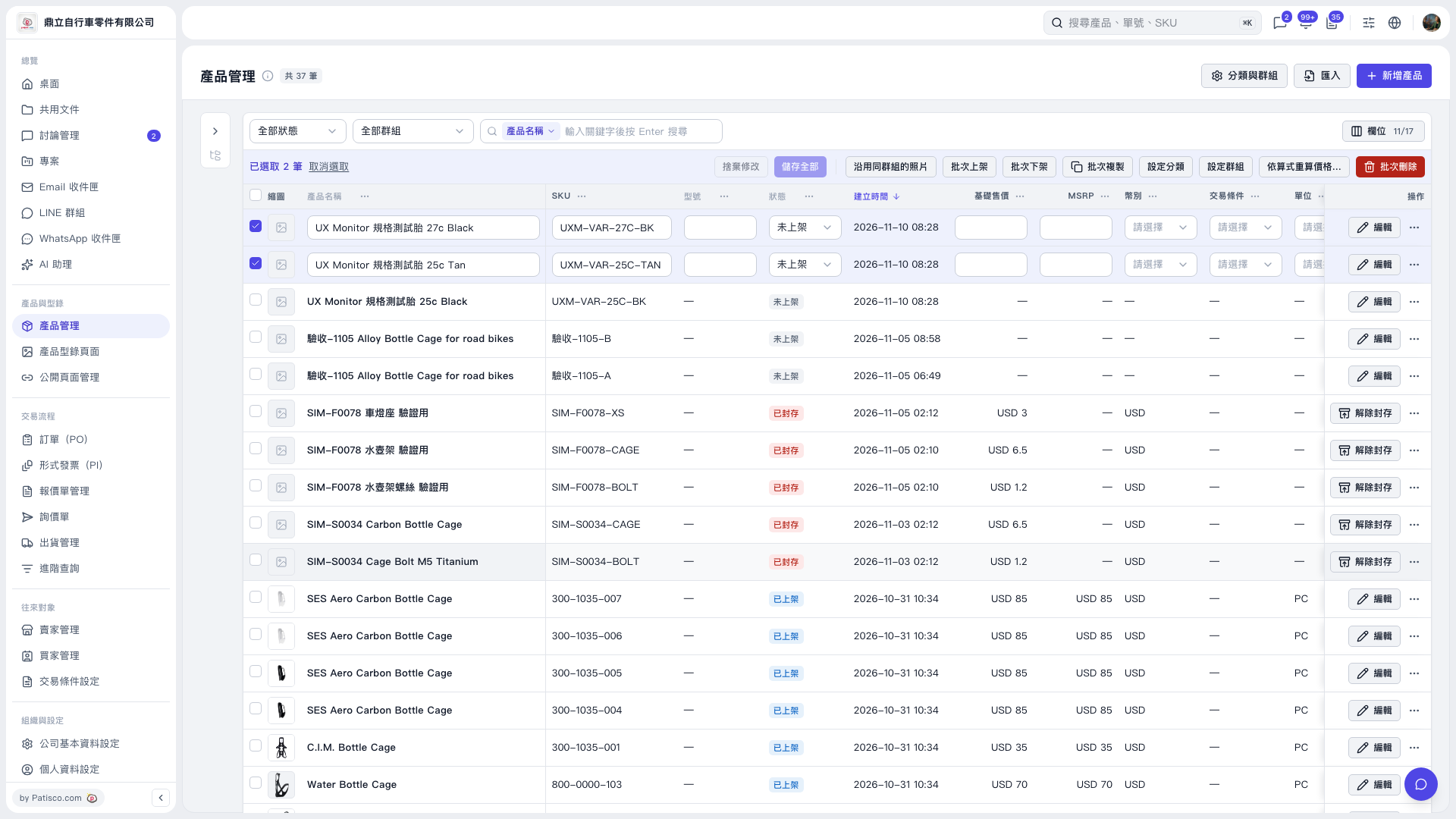
1. In "Product Management", search for the products you want to adjust using "All Status", "All Groups", or "Product Name". After entering keywords, press Enter to search. 2. Check the checkbox on the left side of the product rows to confirm the number of items selected. 3. Click "Recalculate Price by Formula..." in the batch operations row to enter the recalculation settings, configure as needed on subsequent screens, and review the preview. 4. After applying, verify the prices. If changes have not been saved, click "Save All".
 V5 新桌面版|產品管理