
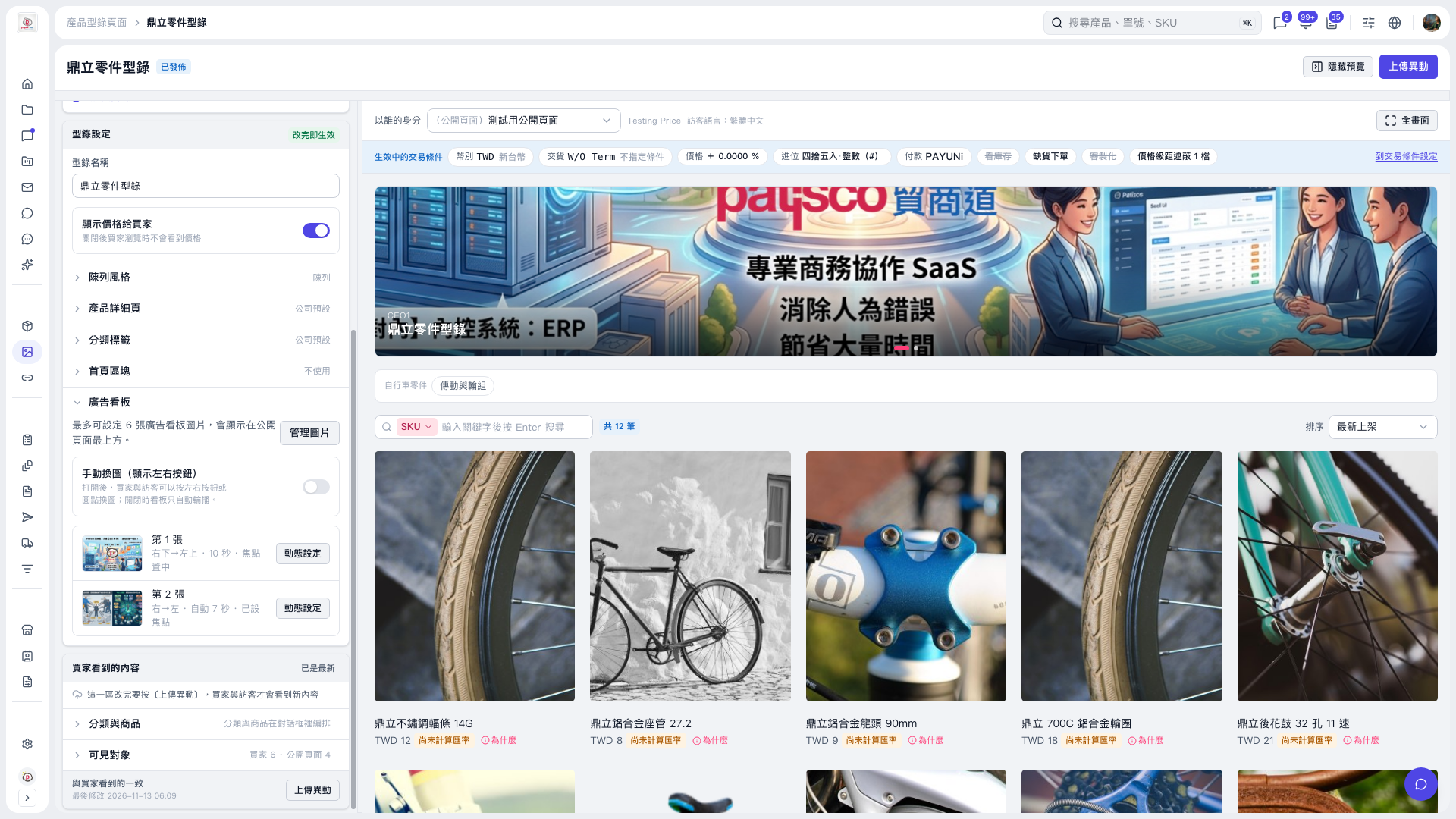
1. Expand "Banner" on the left side of "Catalog layout" to view the current images and animation summary. 2. Click "Manage images" to manage the banner images. You can set up to 6 images. 3. Click "Animation settings" next to an image to adjust "Image transition direction", "Playback duration", and "Image focal point". Currently, image 1 is set to move from bottom right to top left, with a duration of 10 seconds and the focal point centered. Image 2 is set to move from right to left, with an automatic duration and a focal point already set. 4. Check the effect in the preview on the right. 5. If the "What buyers see" section has changes pending publication, click "Upload changes" so buyers and visitors can see the updated content.
 V5 新桌面版|鼎立零件型錄