
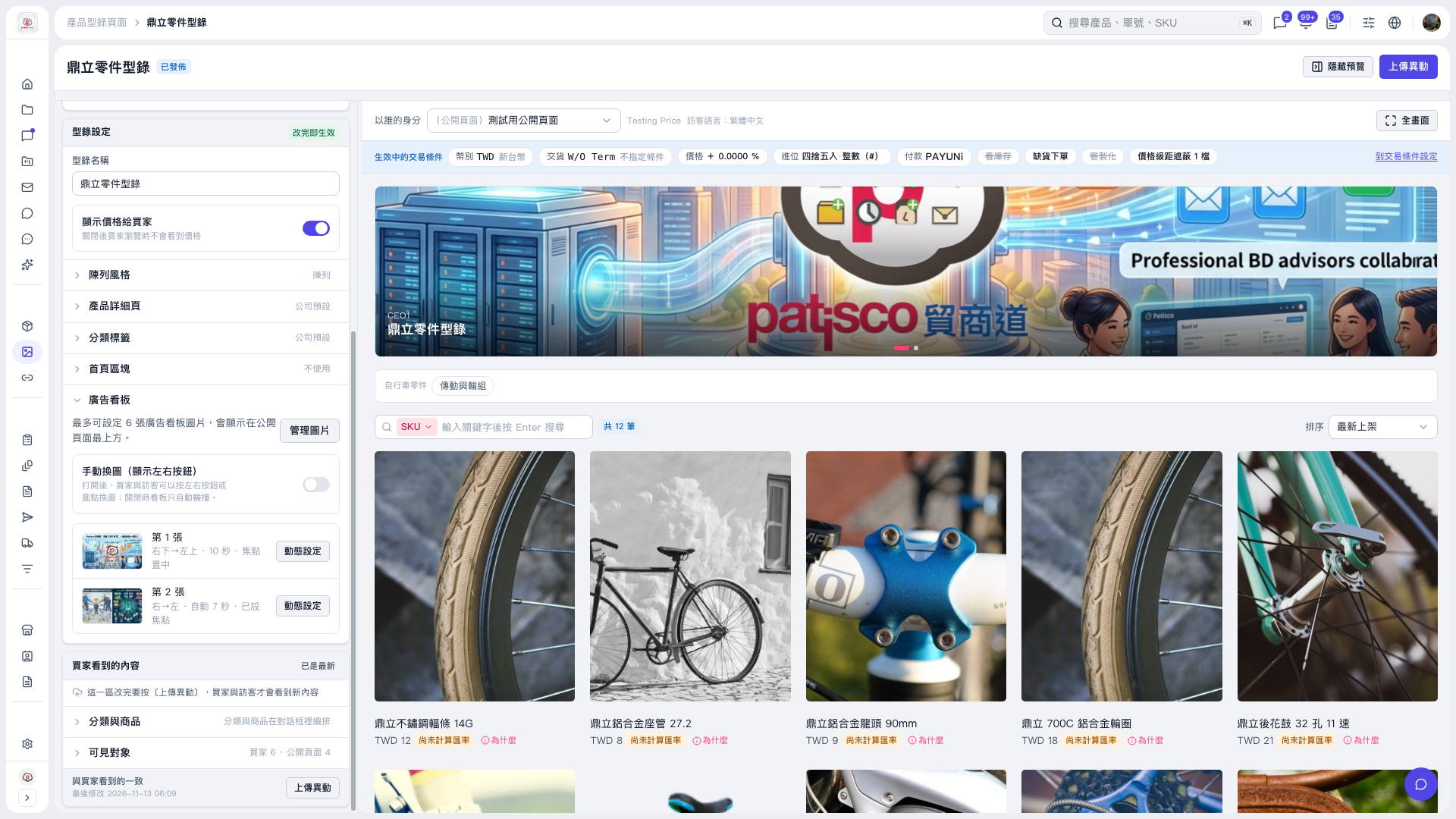
1. Go to "Banner" on the left and check whether "Manual image switching (show left/right buttons)" is off. When it is off, the banner only runs as an automatic slideshow, the left/right buttons are hidden, and the dots only indicate the current image. 2. To let buyers and visitors switch images manually, turn on "Manual image switching (show left/right buttons)". 3. Check the effect in the preview on the right, then click "Upload changes".
 V5 新桌面版|鼎立零件型錄