
1. Open the project page and click “Link a Document” in the upper right of the “Milestones” section on the right. 2. Follow the prompts on the subsequent screens to select the document to link and complete the process. 3. Return to “Milestones,” confirm that the document is listed, then click “Open” on the right side of that row to view its contents. 4. To view the documents from both parties to the agreement, click “Open Copy” in the central “Agreement” section to view the other party’s document, or click “Open Our Document” to view your own document.
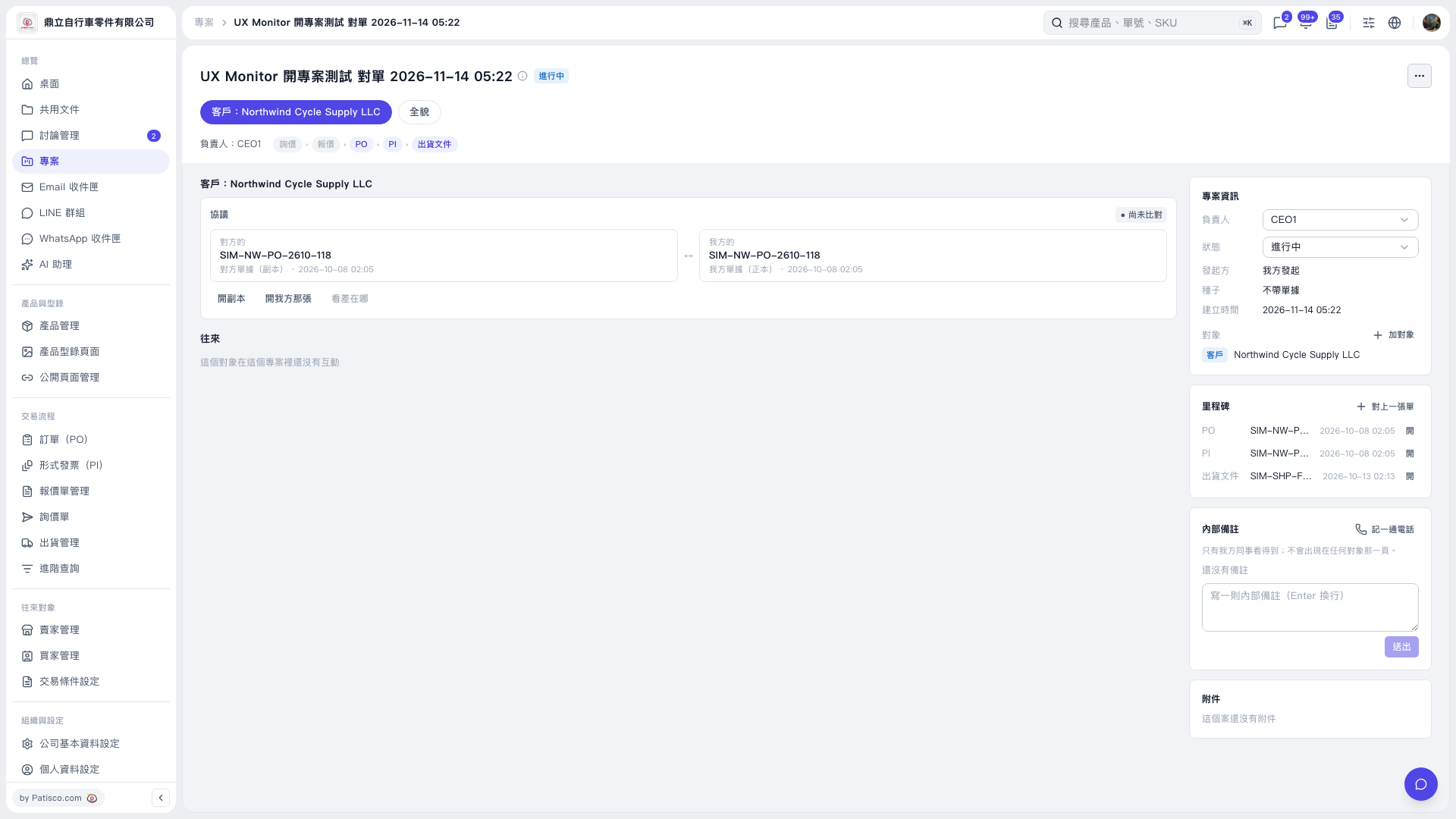 V5 新桌面版|UX Monitor 開專案測試 對單 2026–11–14 05:22