
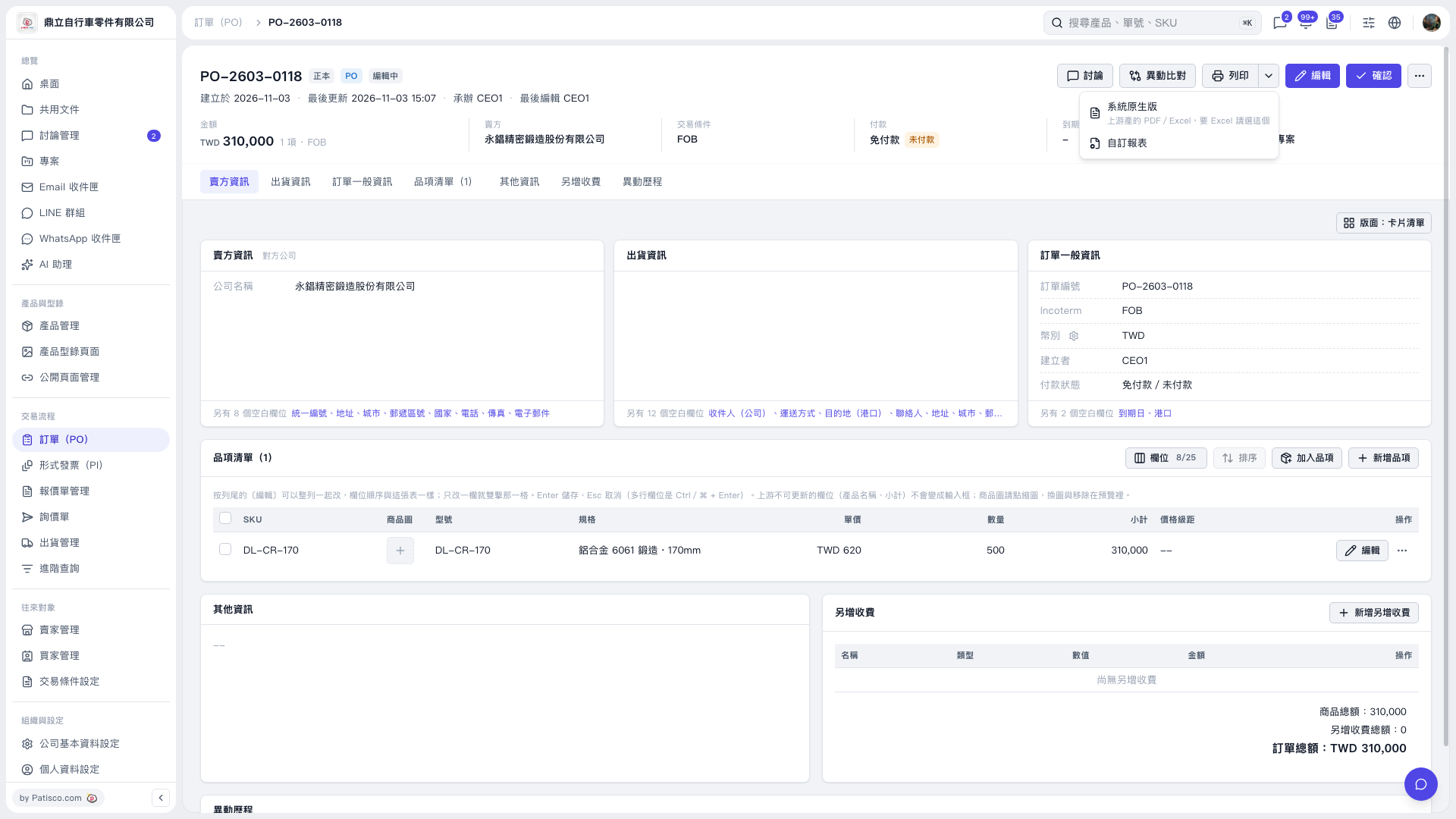
1. On the PO details page, first check the PO number, items, and PO total. 2. Click the drop-down arrow next to “Print” in the upper-right corner to open the print menu. 3. To use the PDF or Excel reports provided by the system, select “System Default.” Select this option if you need Excel, then follow the subsequent screens. 4. To use a custom format, select “Custom Report,” then follow the subsequent screens to complete the process.
 V5 新桌面版|訂單 PO-2603-0118