
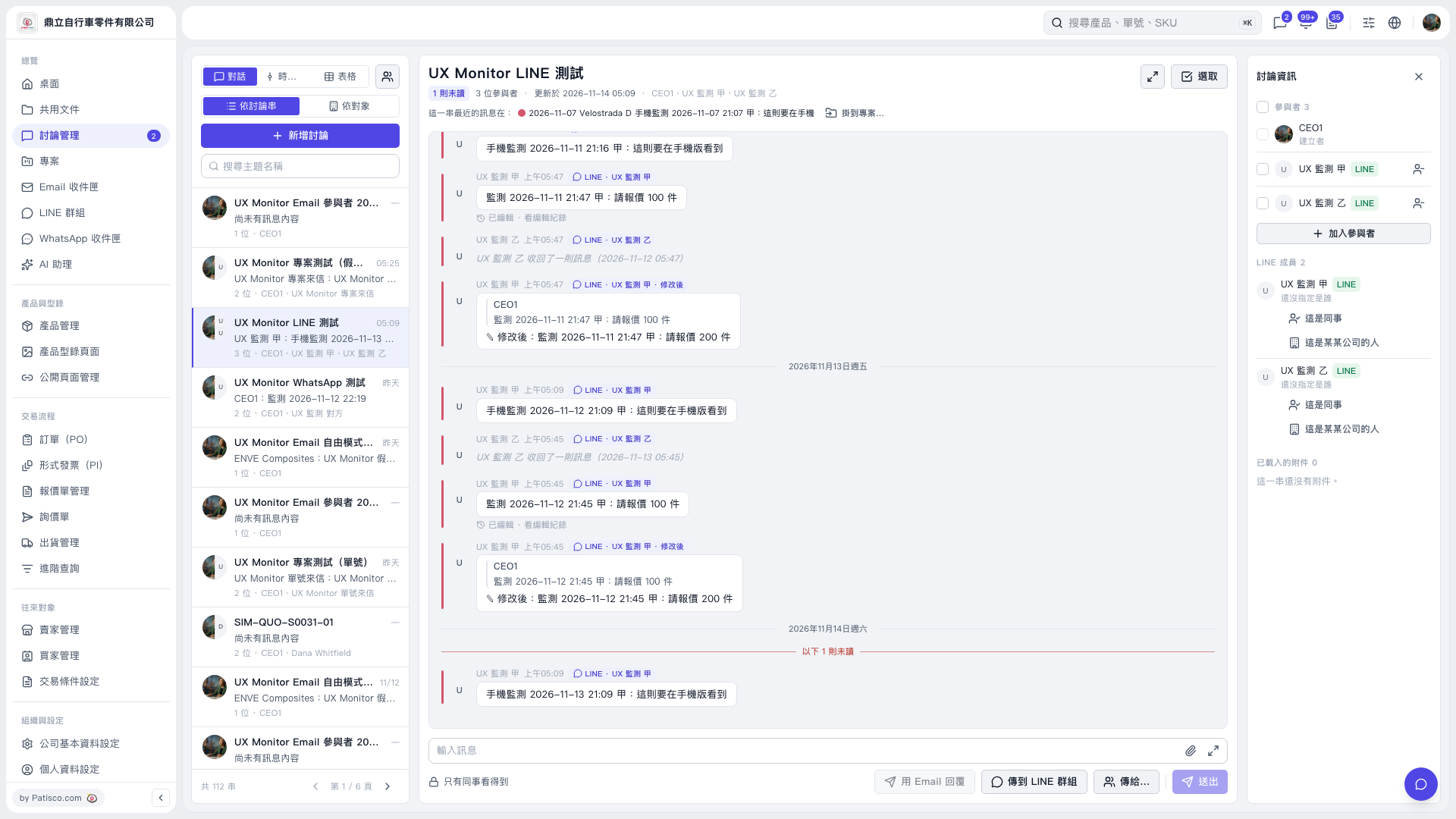
1. Enter keywords in “Search Topic Name” on the left, then click the discussion thread you want to view. 2. Check the identities under “LINE Members” on the right. For members whose identities have not been assigned, click “This is a colleague” or “This is someone from a company” as appropriate to assign an identity. 3. You can ask: “Is the ‘UX Monitor LINE Test’ discussion linked to a buyer or seller?” 4. The AI will reply: “This discussion is not yet linked to a buyer or seller. You can enter an address directly using [Reply by Email].”
 V5 新桌面版|UX Monitor LINE 測試