
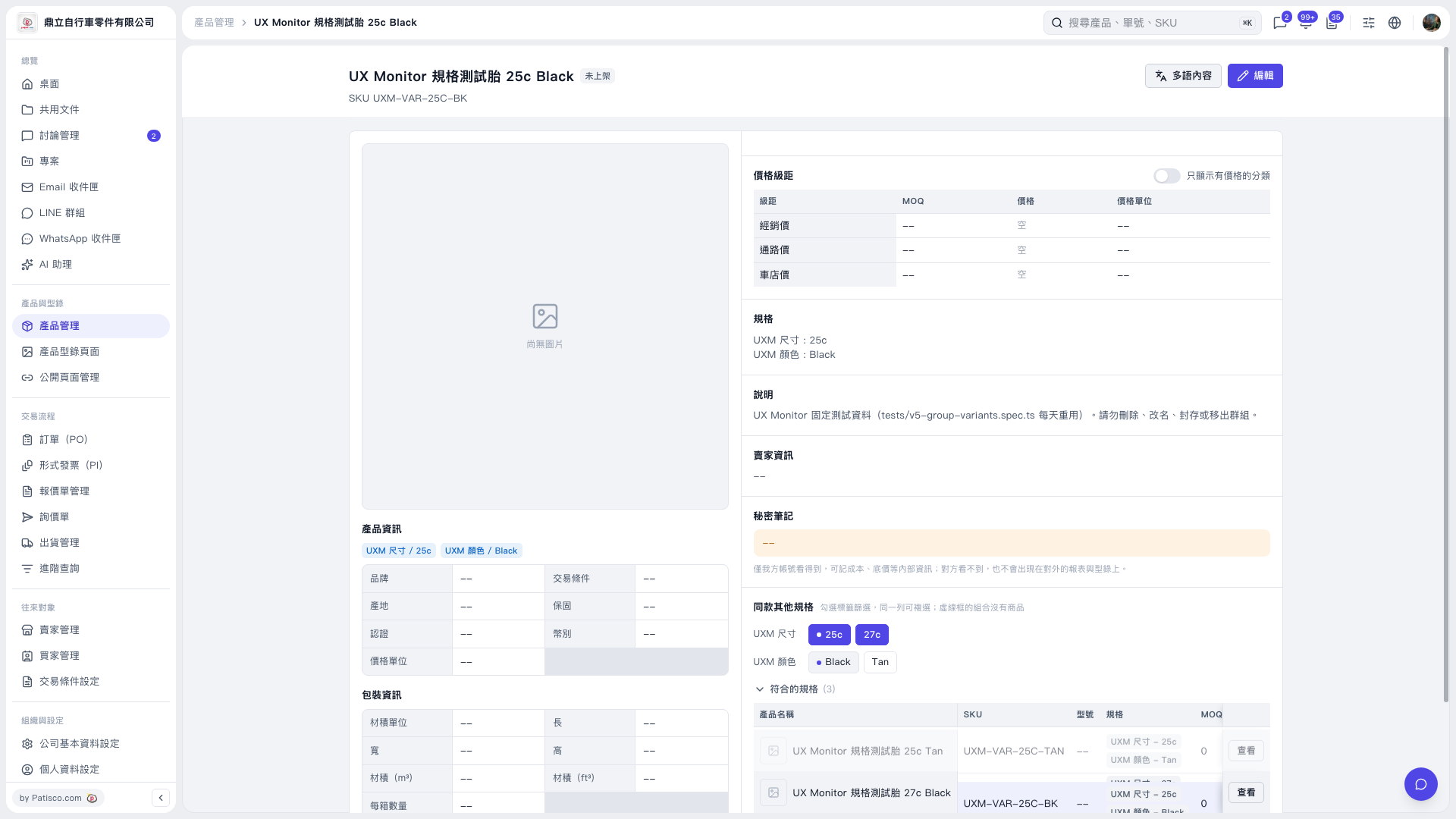
1. Find the “Other Variants of This Product” section on the product detail page. 2. Select “25c” under “UXM Size.” This test dataset will return 2 variants. Then select “27c” in the same row, and the result will increase to 3 variants. You can select multiple options in the same row, and products matching any selected size will be included. 3. Next, select “Black” under “UXM Color,” leaving 2 variants. Filters in different rows are combined using an intersection, so products must match both a selected size and the color Black. 4. Check the count and list of “Matching Variants.” If the list is collapsed, click to expand it. Click “View” in the target product’s row to open the product detail page for that variant. 5. Click “Black” again to deselect it, and the result will return to 3 variants.
 V5 新桌面版|UX Monitor 規格測試胎 25c Black