
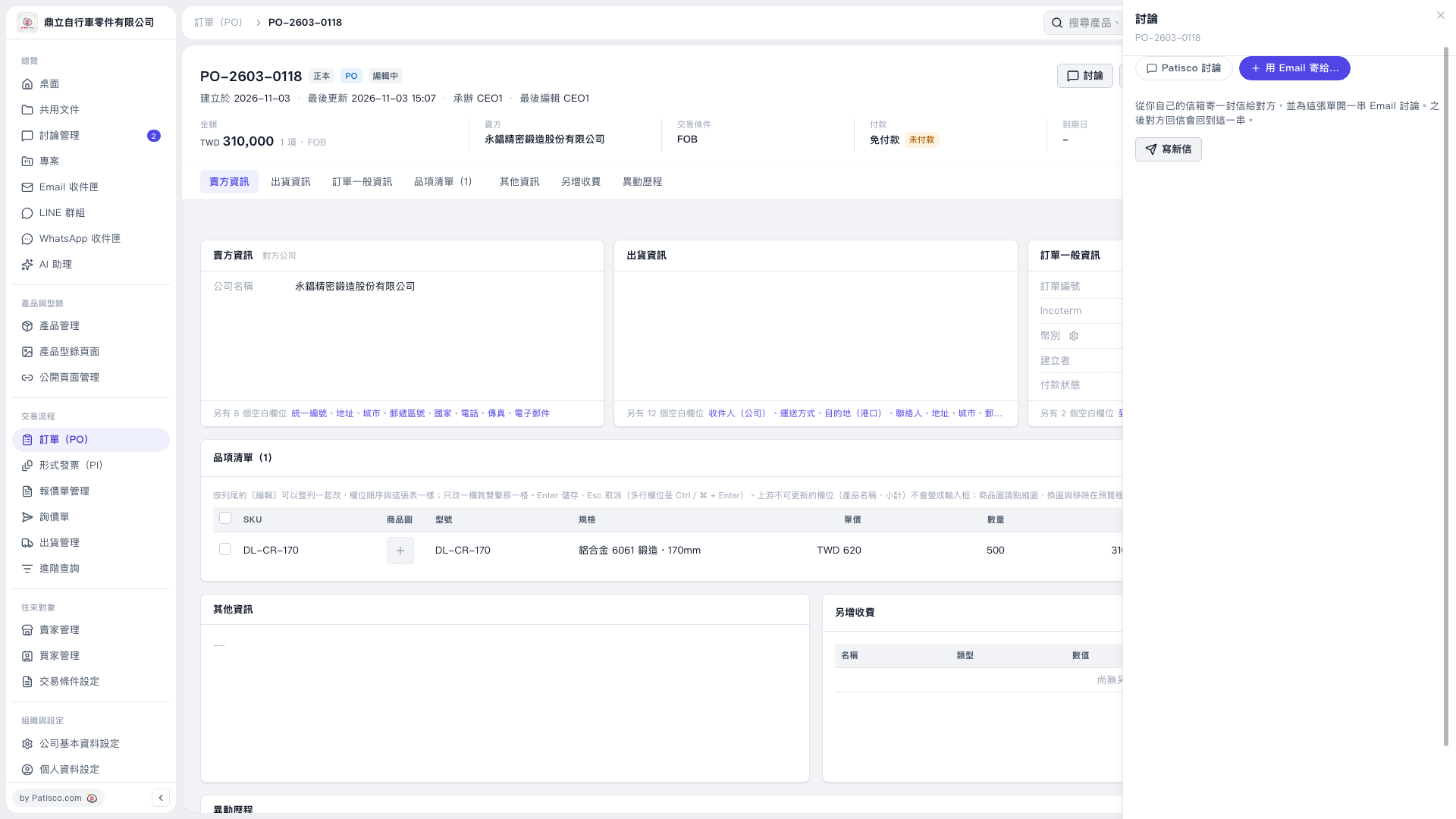
1. Open the PO you want to send and check the PO number, seller, amount, and item details. 2. Click "Discussion" in the upper-right corner, select "Send by Email to…" in the right sidebar, then click "Compose New Email". 3. In the compose panel, make sure "Attach this PO as a PDF" is checked. The PDF language displayed in this case is "English". 4. Check the recipients and complete the email content. The seller for this PO has not provided an email address, so the recipient field is blank by default and must be filled in manually. 5. Check the content, then send the email. The information provided for this step does not specify the send button's name. Reminder: This test used a simulated connected mailbox. An actual mailbox connection and the sending result have not yet been verified.
 V5 新桌面版|PO-2603-0118