
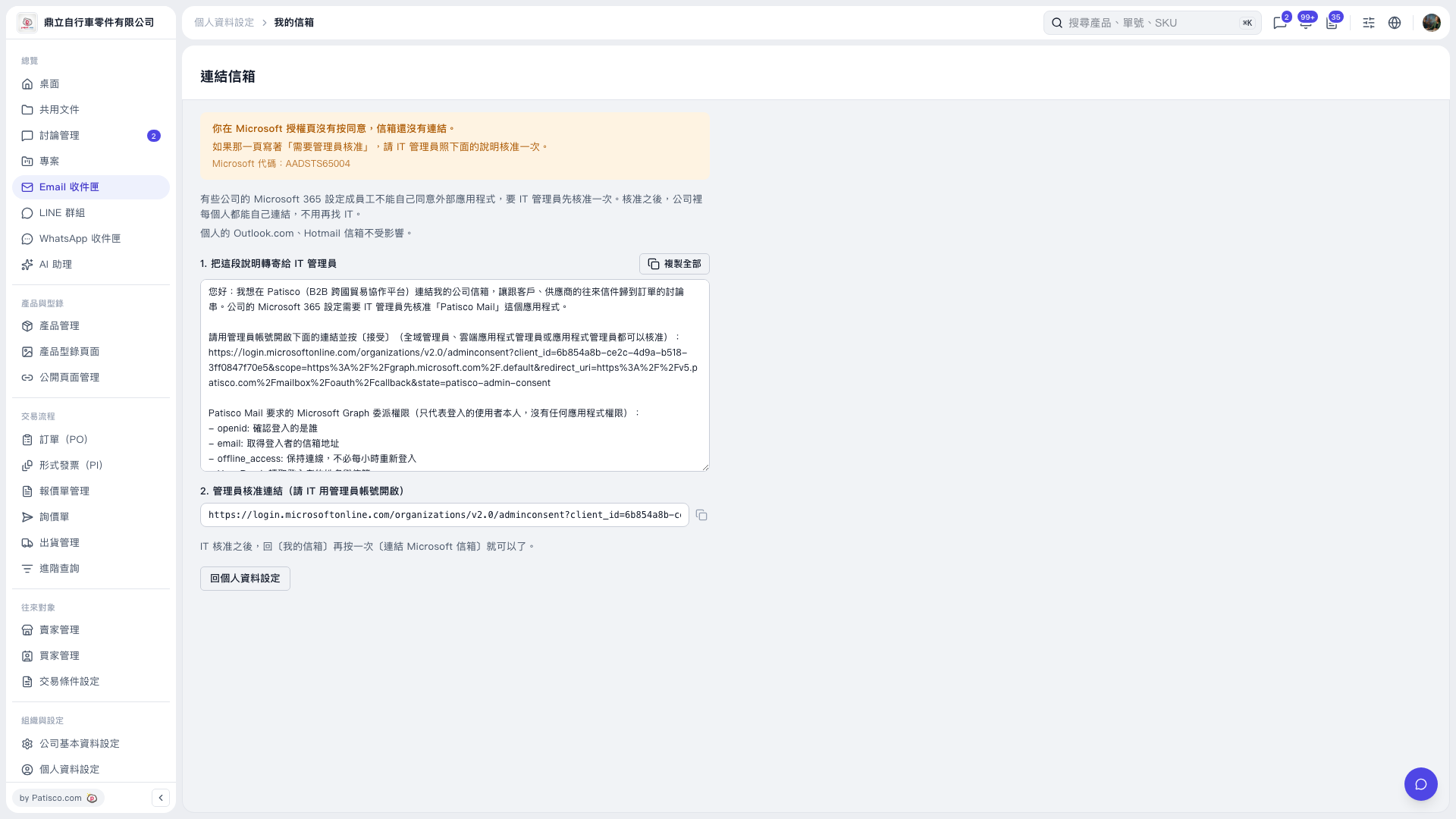
1. Check the authorization failure message on the "Connect Mailbox" page. The mailbox has not been connected because consent to Microsoft authorization was not given this time. 2. If the authorization page requires administrator approval, click "Copy All" and forward the full instructions to your company's IT administrator. You can also click the copy icon to the right of "Administrator Approval Link" to copy the approval link. 3. Ask the IT administrator to open the approval link using an administrator account and click "Accept". 4. After approval is complete, click "Back to Profile Settings" to return to "My Mailbox", then click "Connect Microsoft Mailbox" again and complete authorization.
 V5 新桌面版|連結信箱