
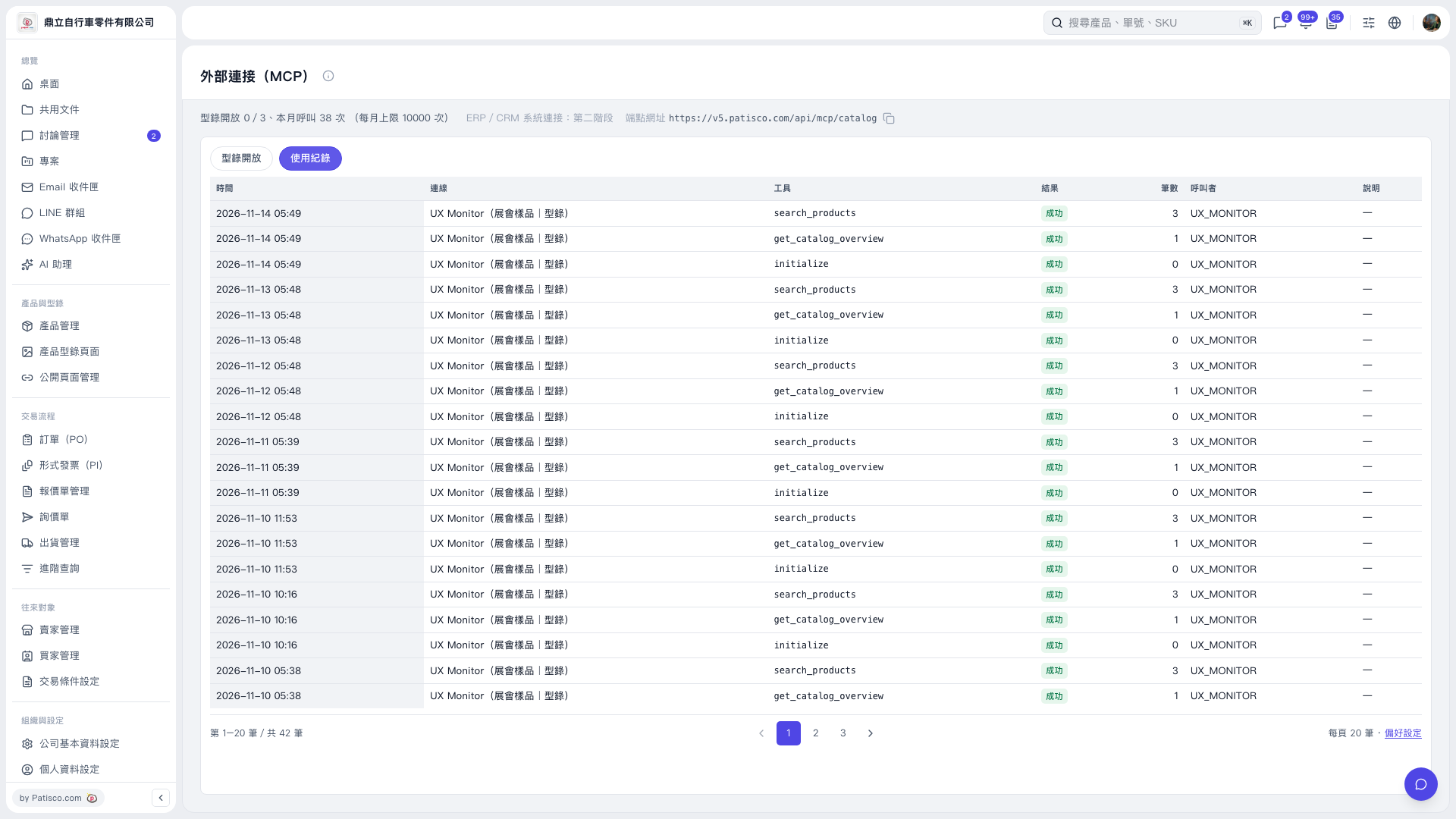
1. On the "External Connections (MCP)" page, click "Usage Logs". 2. Review "Time", "Connection", "Tool", "Result", "Record Count", "Caller", and "Description" in the list to check each tool call. 3. Click a page number, "Previous", or "Next" below the list to view logs on other pages. 4. To adjust the list display preferences, click "Preferences" at the bottom right.
 V5 新桌面版|外部連接(MCP)