
1. In the “BASIC INFO” section of the “My Profile” page, tap “Name,” “Phone Number,” or “Job Title.” 2. On the corresponding settings screen, follow the on-screen instructions to update and confirm your information. 3. To adjust your time zone, tap “Timezone” in the same section.
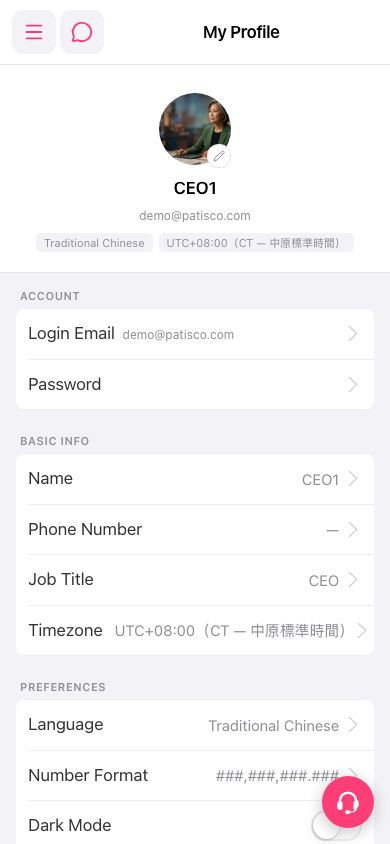 手機版|My Profile(個人資料)