
1. In the “ACCOUNT” section of the “My Profile” page, tap “Login Email” or “Password” and follow the subsequent on-screen instructions to change your login email or password. 2. To change the interface language, tap “Language” in the “PREFERENCES” section and follow the on-screen instructions. 3. In the same section, you can also tap “Number Format” to set the number display format, or use “Dark Mode” to switch dark mode on or off.
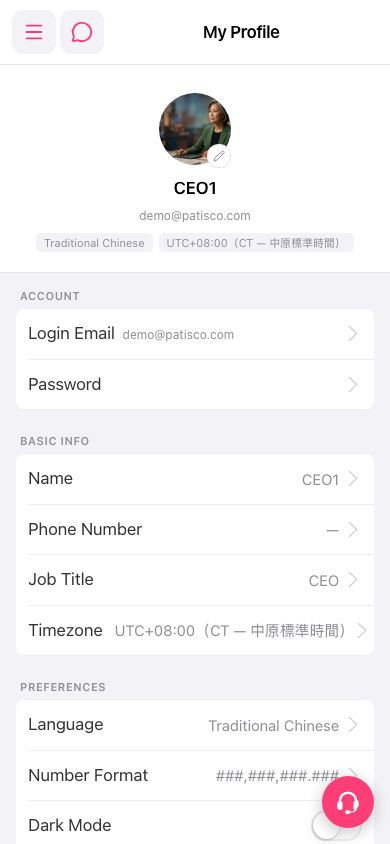 手機版|My Profile(個人資料)