
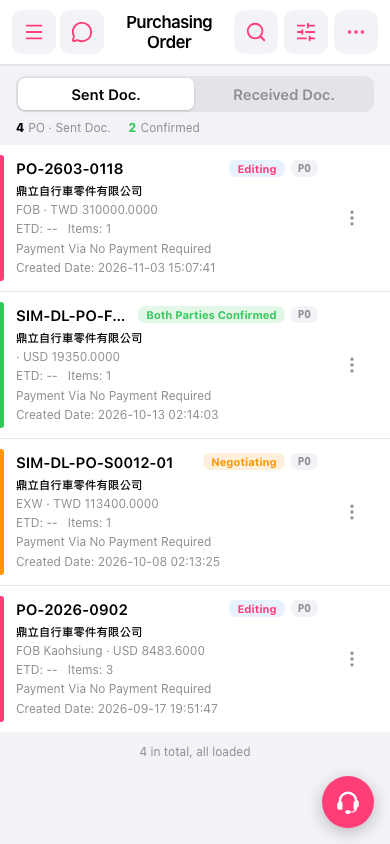
1. On the “PO (Purchasing Order)” page, tap “Sent Doc.” to view sent documents, or tap “Received Doc.” to view received documents. 2. Find the target document by its PO number, company name, and document status. If needed, tap “Search” (the magnifying glass icon) or “Filter” (the adjustment icon) at the upper right to narrow down the results. 3. Tap the target PO to view its contents.
 手機版|採購單(Purchasing Order)