
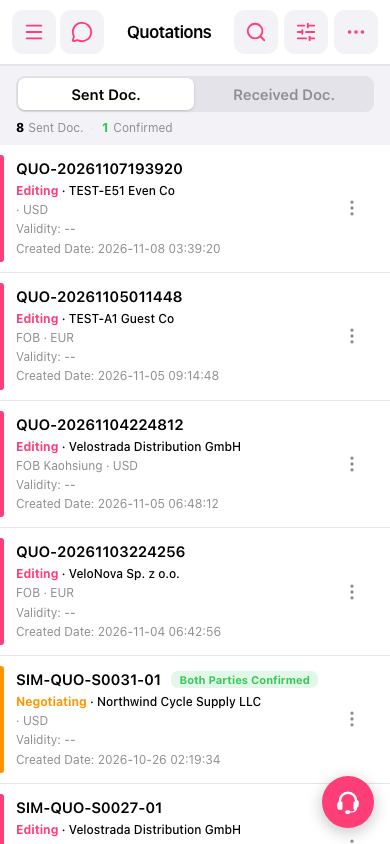
1. In the quotation list, look for the entry by quotation number, trading partner, or status. To search, tap the search icon in the upper-right corner. 2. To filter the list, tap the filter icon next to the search icon in the upper-right corner to view the filter options. 3. Once you find the target quotation, tap the vertical three-dot icon on the right side of that entry to view the available actions.
 手機版|報價單(Quotations)