
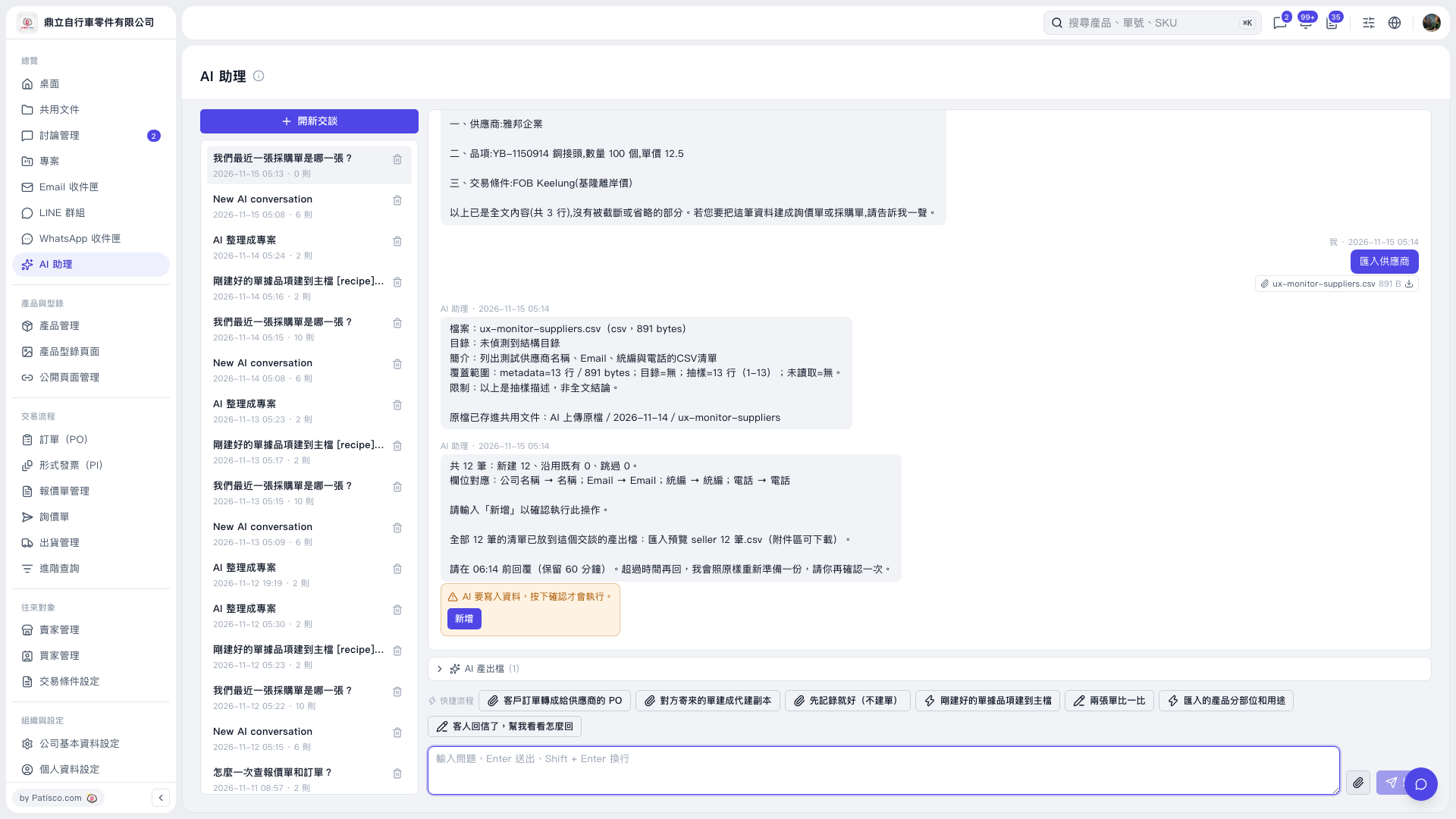
1. Click “Attachment” next to the input box at the bottom of “AI assistant” and upload the supplier CSV. 2. Enter a command and click “Send”. For example: “Import suppliers (12-row CSV)”. The AI responds: “12 records in total: 12 new, 0 existing records reused, 0 skipped.” 3. Check the field mappings: Company Name → Name, Email → Email, Tax ID → Tax ID, Phone → Phone. 4. Click “AI-generated Files (1)”, download “匯入預覽 seller 12 筆.csv”, and check its contents. 5. After confirming that everything is correct, click “Add” in the orange confirmation area within the time limit specified by the AI. Only then will the data be written. Check the AI’s follow-up response to confirm the import result.
 V5 新桌面版|AI 助理