
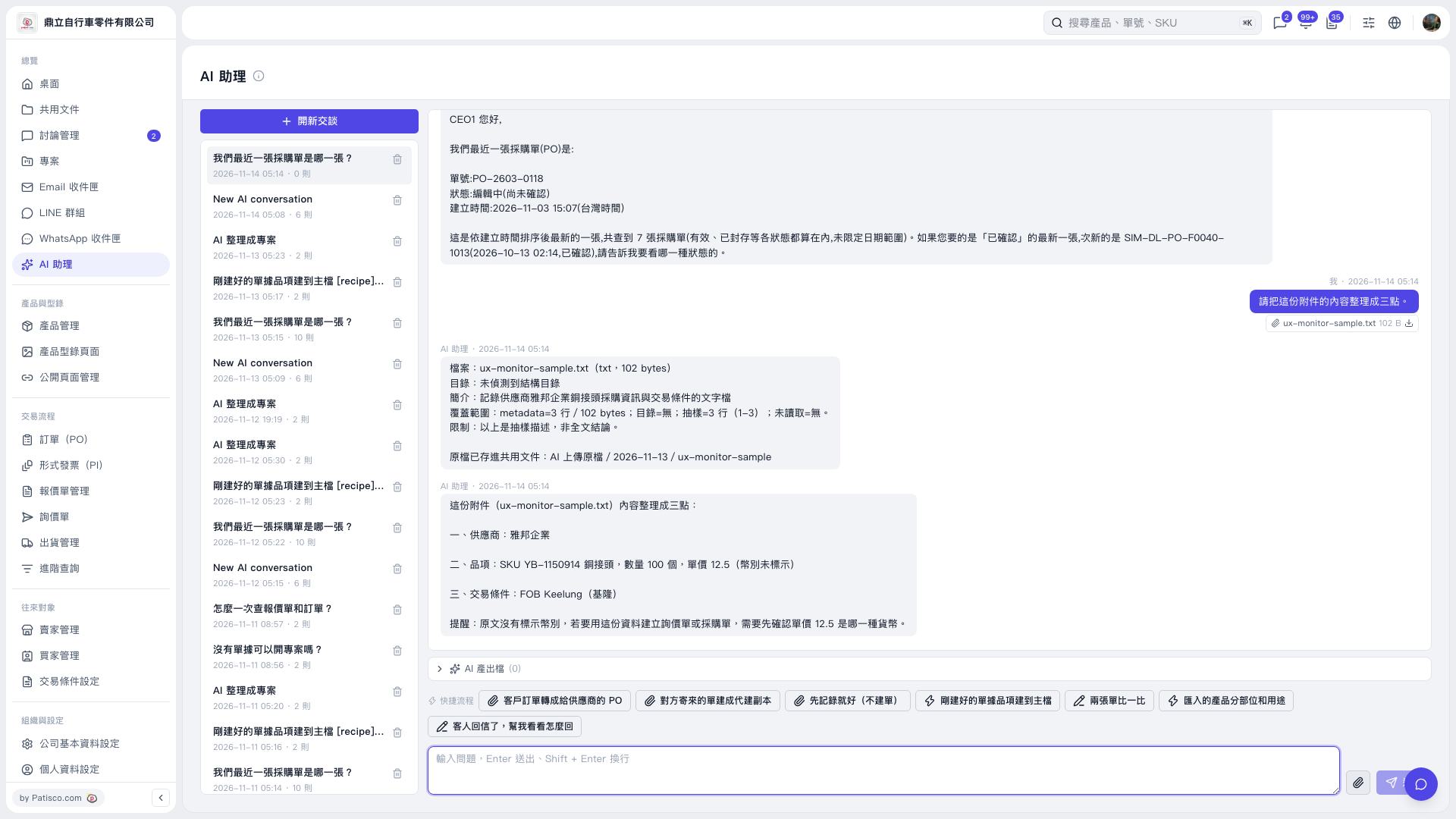
1. In “AI assistant”, click “New Conversation” or select an existing conversation from the conversation list on the left. 2. Click “Attachment” (the paperclip icon) on the right side of the message input box and select the file to upload. 3. Enter your request. For example: “Please summarize the contents of this attachment in three points.” 4. Press Enter or click “Send” (the paper airplane icon). Press Shift + Enter to insert a line break. 5. View the result in the conversation area. Using ux-monitor-sample.txt from this example, AI would respond: “The supplier is 雅邦企業; the item is SKU YB-1150914, a copper fitting, with a quantity of 100 units and a unit price of 12.5 (currency not specified); the trading terms are FOB Keelung.” AI will also remind you that you need to confirm the currency before using this information to create an inquiry or PO.
 V5 新桌面版|AI 助理