
1. Open the quotation and check the buyer, seller, transaction currency, trading conditions, and expiration date. To make changes, click “Edit” in the upper-right corner. 2. Go to “Item List (3)” and click “Add Items” to add existing products, or click “New Item” to create a new quotation item. 3. Click “Edit” on the right of each item to adjust its specifications, unit price, and quantity. Follow the on-screen instructions: press Enter to save or Esc to cancel; for multiline fields, press Ctrl/⌘ + Enter to save. Item additions, edits, and deletions are saved immediately. 4. Check each item's “Subtotal.” To review changes to the data, click “Diff View” in the upper-right corner.
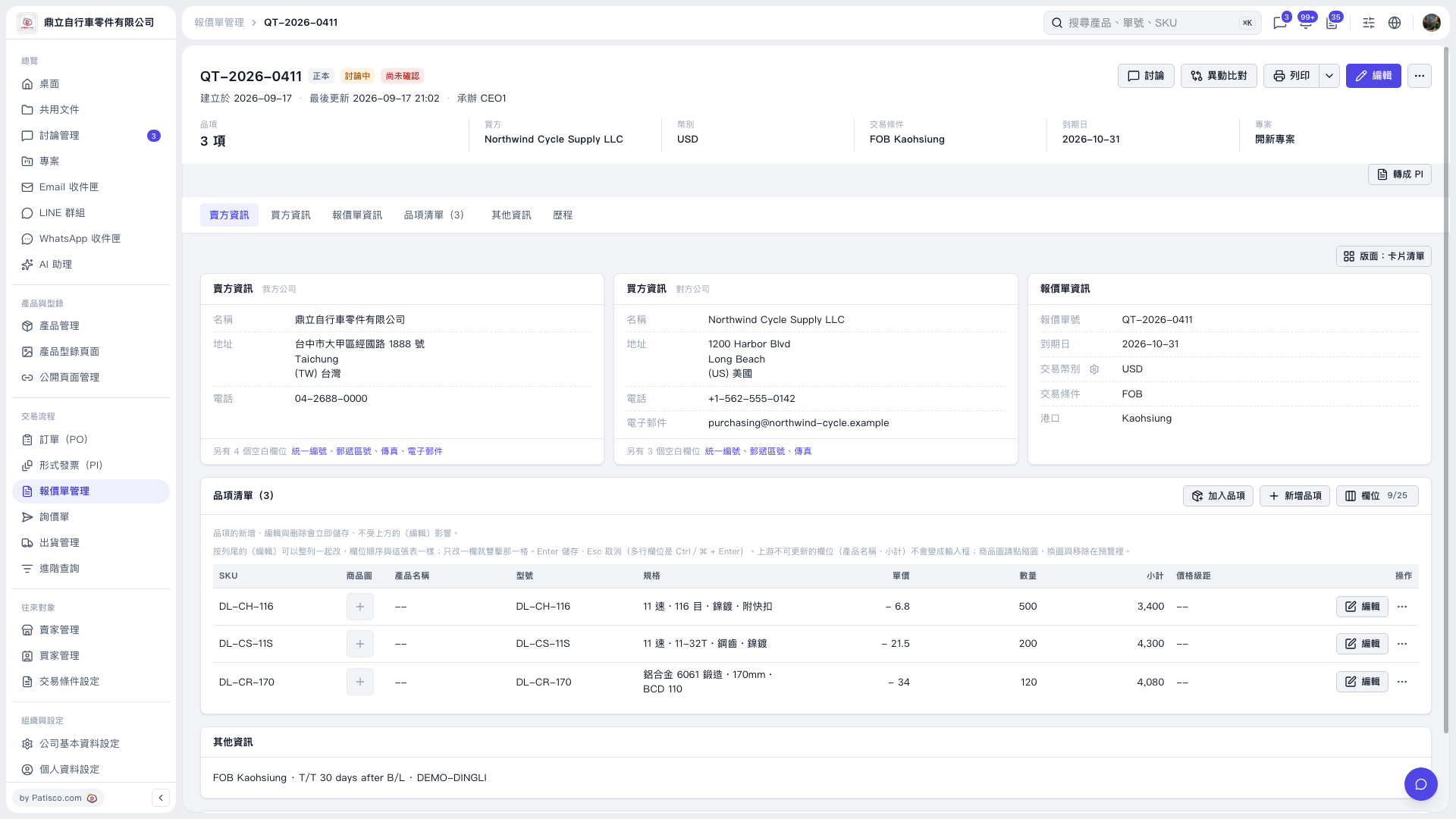 V5 新桌面版|QT–2026–0411