
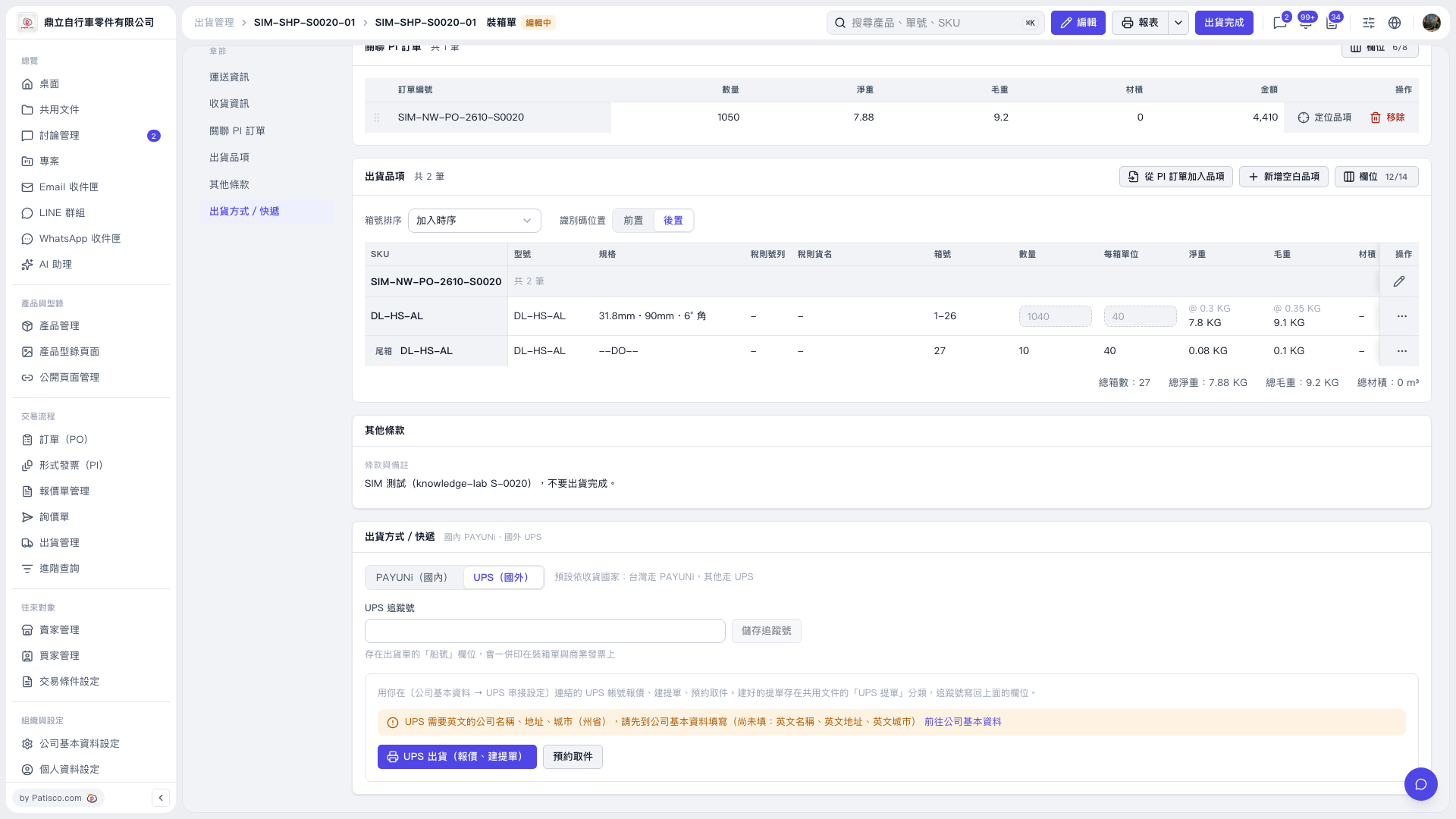
1. Under "Shipment Items" in the "Packing List", verify the items, carton numbers, quantities, and weights. 2. Under "Shipping Method / Courier", select "UPS (International)". 3. If the screen indicates that the English company name, English address, and English city name are missing, click "Go to Company Profile" to complete them. Also confirm that an account is connected in the UPS integration settings. 4. Confirm that the recipient information is complete. The recipient information in this test was missing a name, which must be added before requesting a rate quote. 5. Return to the packing list and click "UPS Shipping (Get Rates, Create Waybill)" once, then follow the instructions on the subsequent screens. The rate quote obtained in this test included UPS Worldwide Express at TWD 29,653.8. Actual shipping charges are subject to the rate quote obtained at the time. 6. This record contains test data. As instructed in the notes, do not click "Shipment Complete".
 V5 新桌面版|裝箱單