
1. Open the Proforma Invoice and check the specifications, unit prices, and quantities in the "Item List". 2. To edit the contents, click "Edit" in the upper-right corner. 3. To add products, click "Add Items" or "New Item". 4. After reviewing the Proforma Invoice, click "Send" in the upper-right corner.
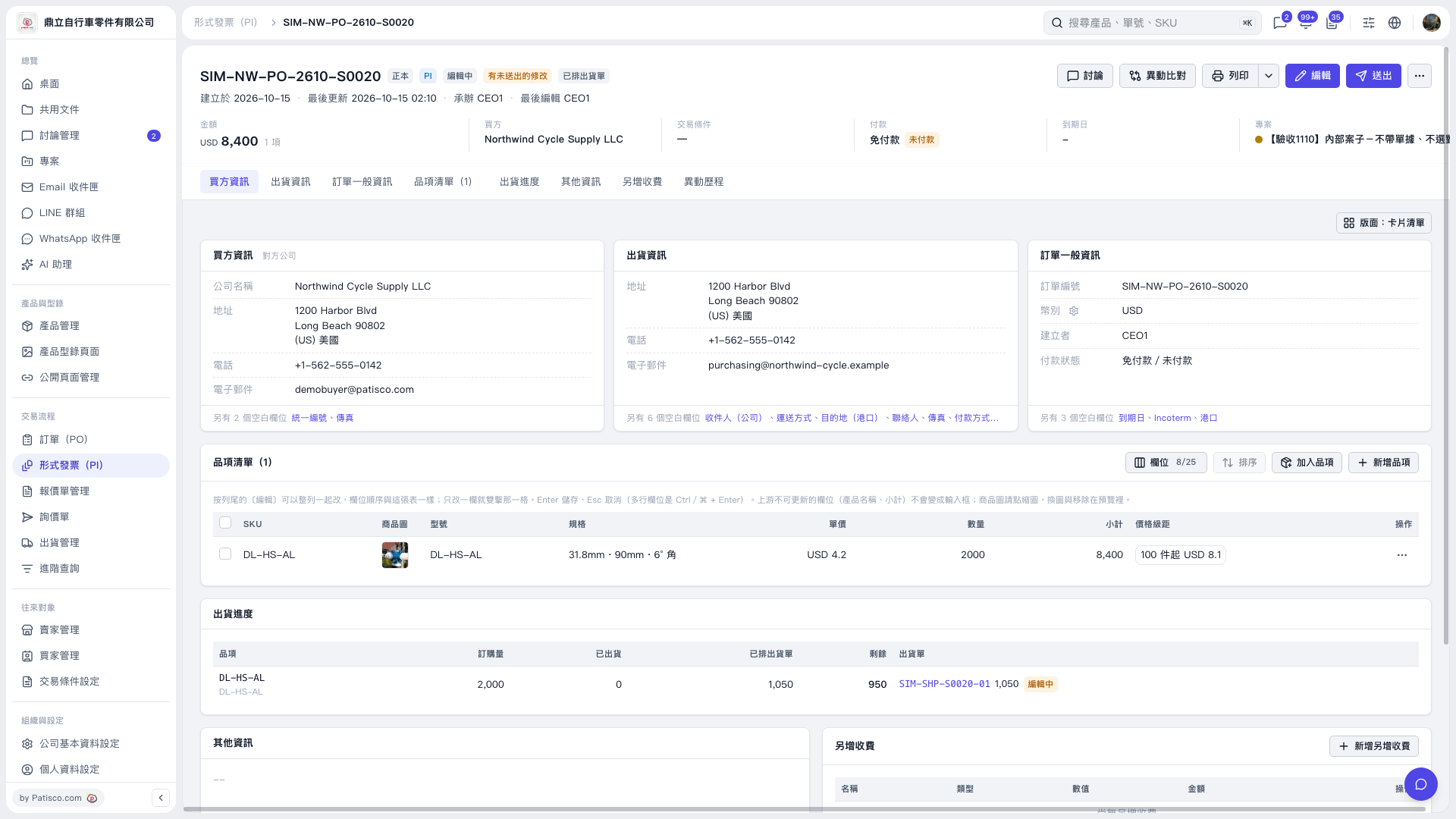 V5 新桌面版|形式發票 SIM–NW–PO–2610–S0020