
1. Click “Add Item” at the upper right of the “Item List” to add existing items to the PO. To create a new product, click “Create Item.” 2. To modify an item already added, click “Edit” on the right side of its row and check the specifications, unit price, quantity, and subtotal. 3. To add additional charges, click “Add Additional Charge” in the upper-right corner of the additional charges card. 4. Check the product total, additional charges total, and PO total. When you finish editing, click “Confirm” in the upper-right corner.
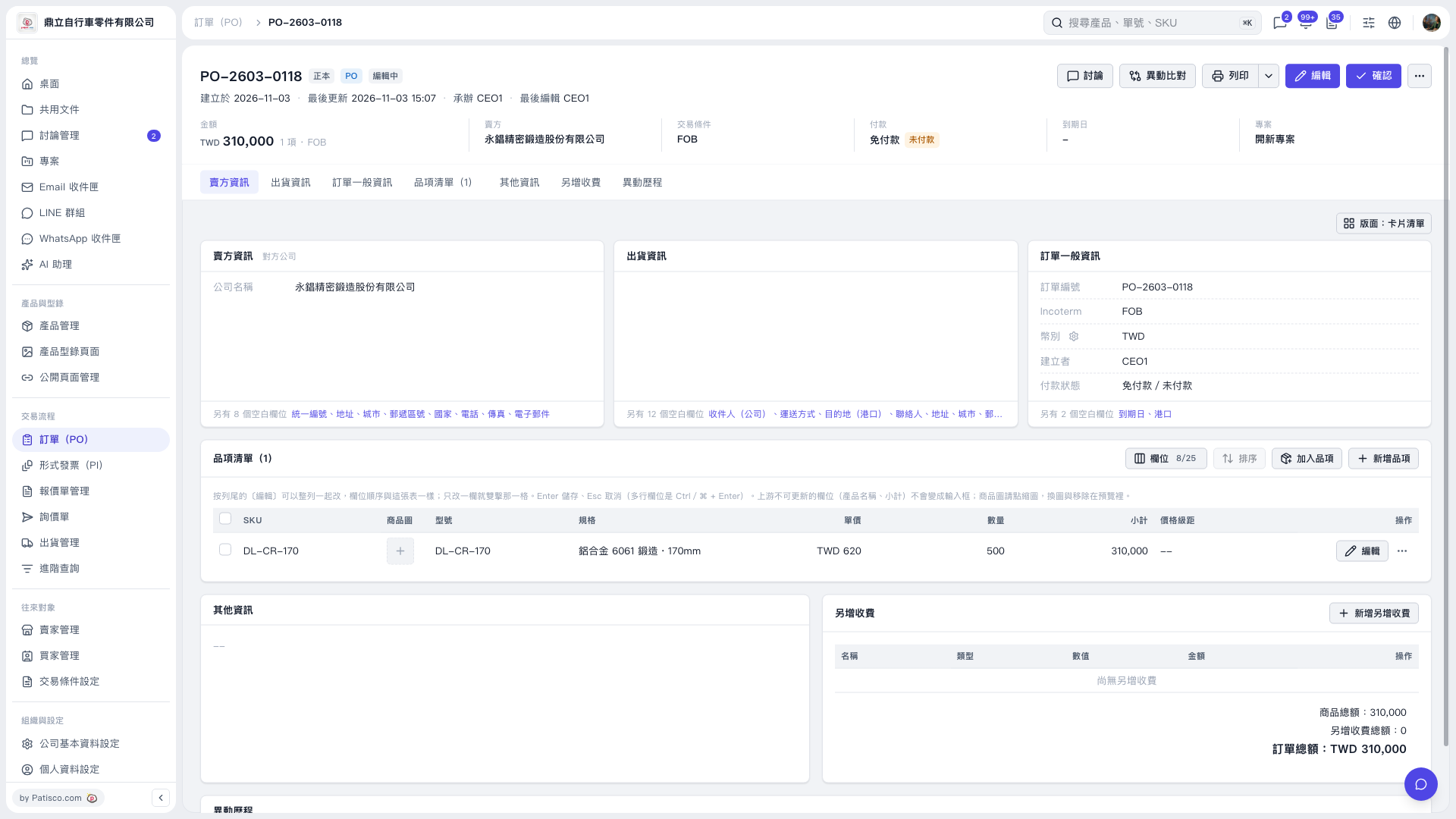 V5 新桌面版|PO–2603–0118