
1. On the PO details page, check the PO number, company name, trading conditions, and payment status. 2. To update the PO's basic details, click "Edit" in the upper-right corner. To adjust the items, click "Edit" on the right of the "Item list" row. 3. To add an existing item, click "Add item". To create a new PO item, click "Create item". 4. If there are additional charges, click "Add additional charge" and enter the charge details. 5. After checking the items, quantities, unit prices, and PO total, click "Send" in the upper-right corner to send the PO or any changes that have not yet been sent.
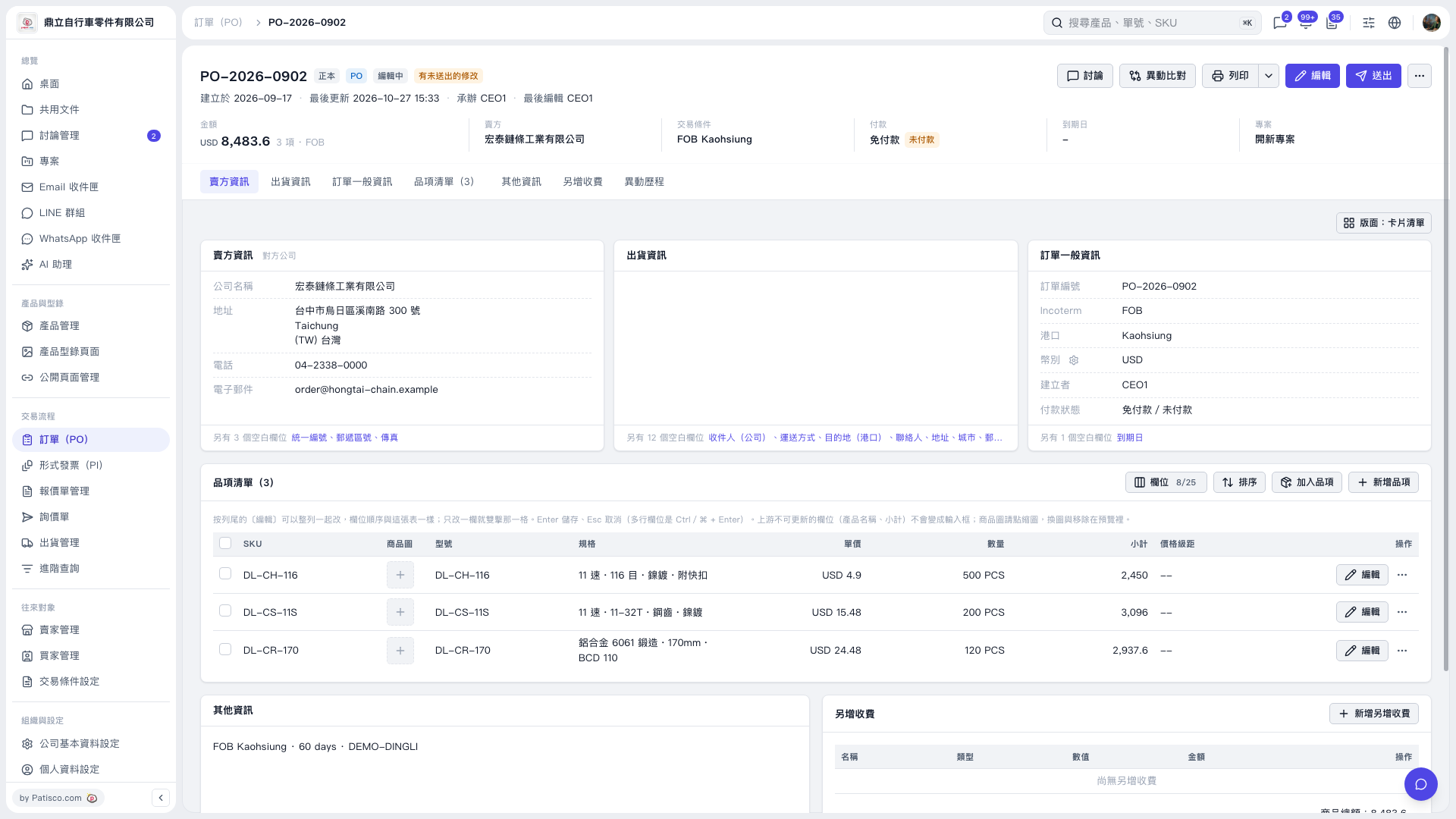 V5 新桌面版|PO–2026–0902