
1. Open the Proforma Invoice and first check the invoice number, buyer, trading conditions, and total amount. 2. Click "Edit" in the upper-right corner to update the buyer, shipping, and PO-related details. 3. Go to "Item list (3)" to check the products, unit prices, and quantities. To add an existing product, click "Add item". To create and add a new product, click "Create item". 4. Follow the on-screen instructions to double-click an editable item cell. After entering a value, press Enter to save or Esc to cancel.
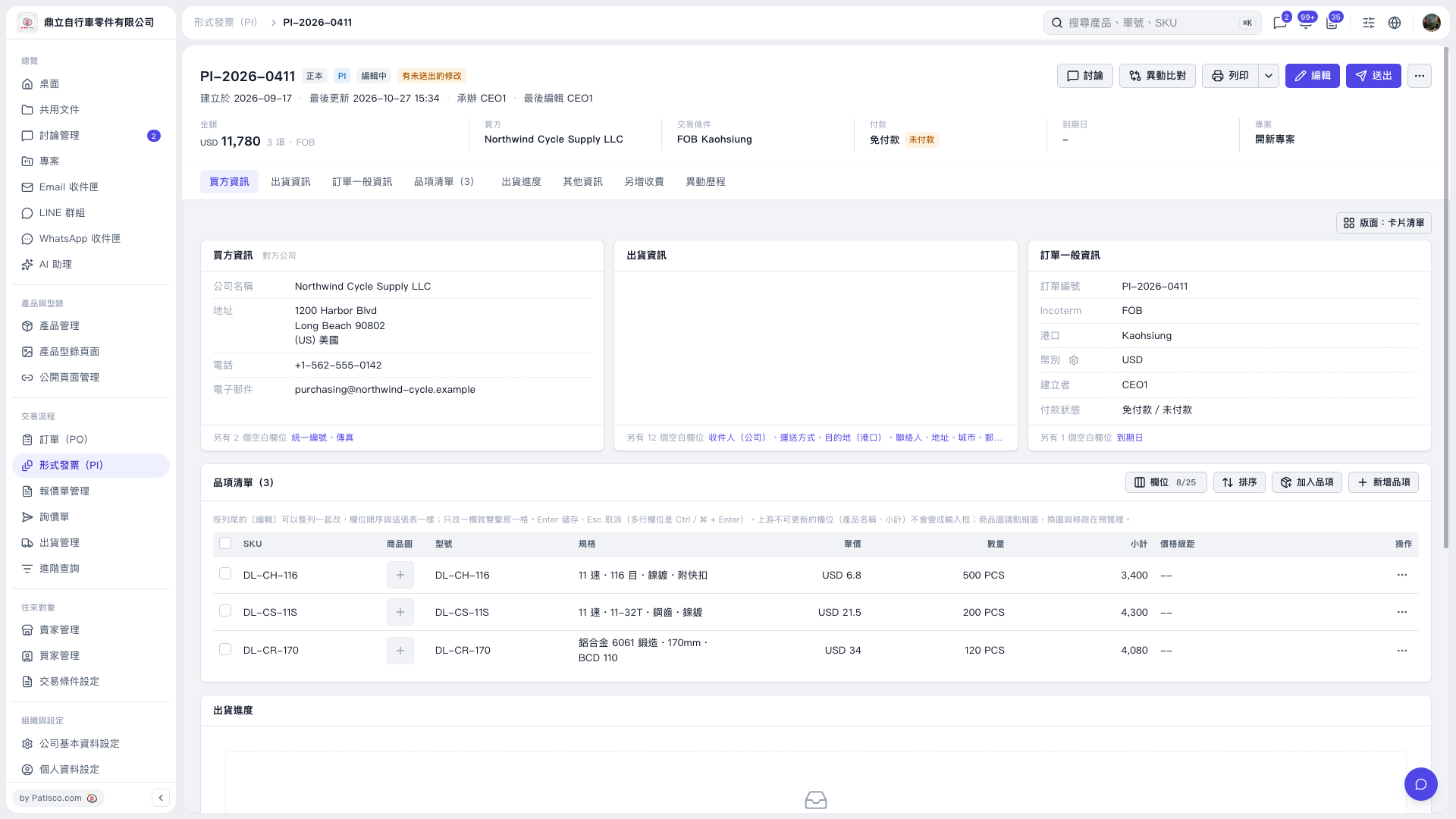 V5 新桌面版|形式發票 PI-2026-0411