
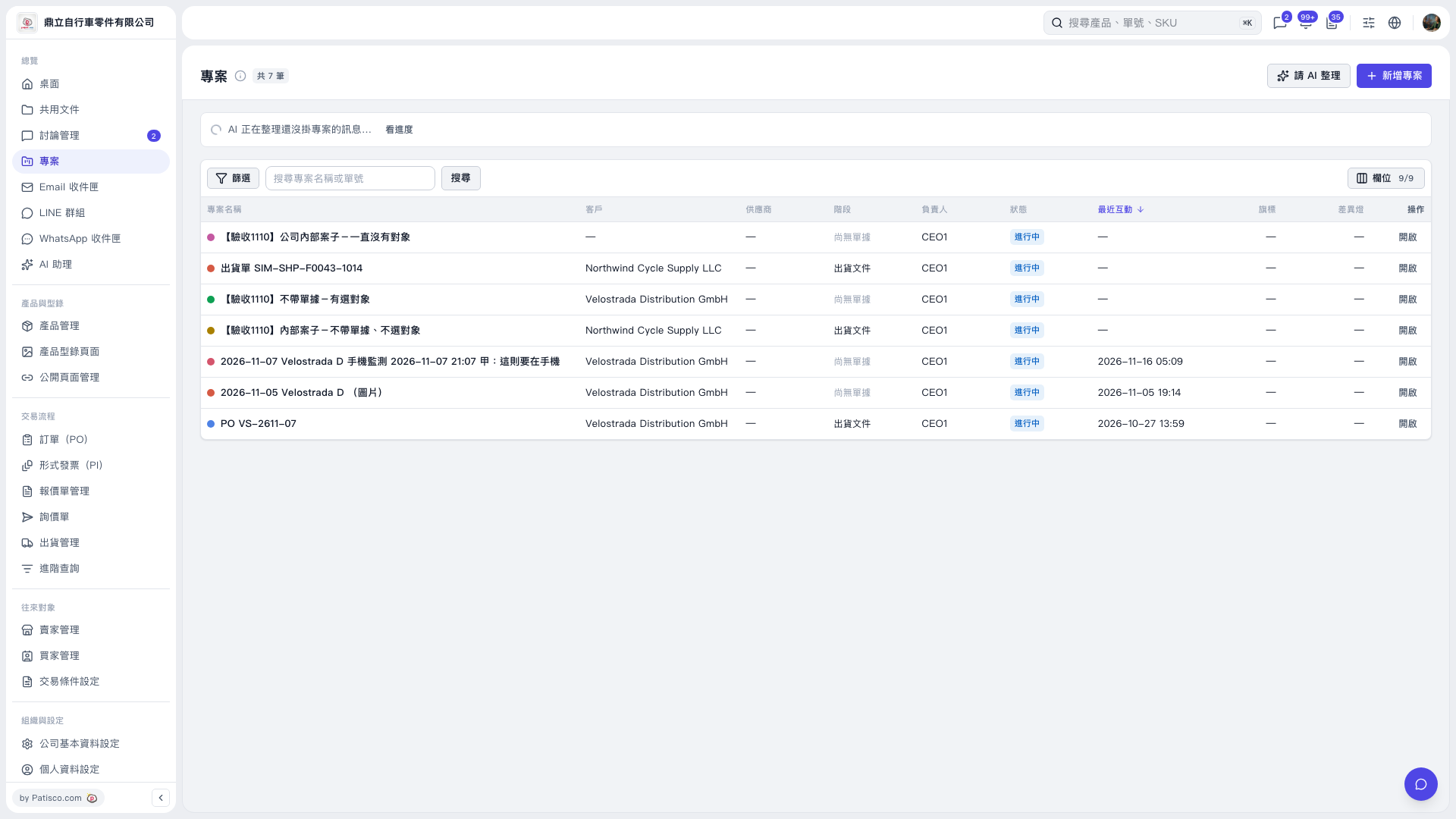
1. On the “Projects” page, click “Ask AI to Organize” in the upper-right corner. 2. When “AI is organizing messages that have not yet been assigned to projects…” appears at the top, click “View Progress” to check the processing status. 3. Once processing is complete, review the AI summary and proposals. In this result, AI suggested creating 2 new projects to organize 7 messages from 宏泰鏈條工業有限公司 and 2 messages from Northwind Cycle Supply LLC, respectively. 4. You can ask: “Help me organize messages that have not yet been assigned to projects.” An example AI response is: “I scanned 42 messages from the past 7 days that have not yet been assigned to projects and suggest creating 2 new projects. For 33 messages, I could not determine which business deal they belong to, so they will remain as they are. Another 32 messages are already in projects and will be left unchanged.”
 V5 新桌面版|專案