
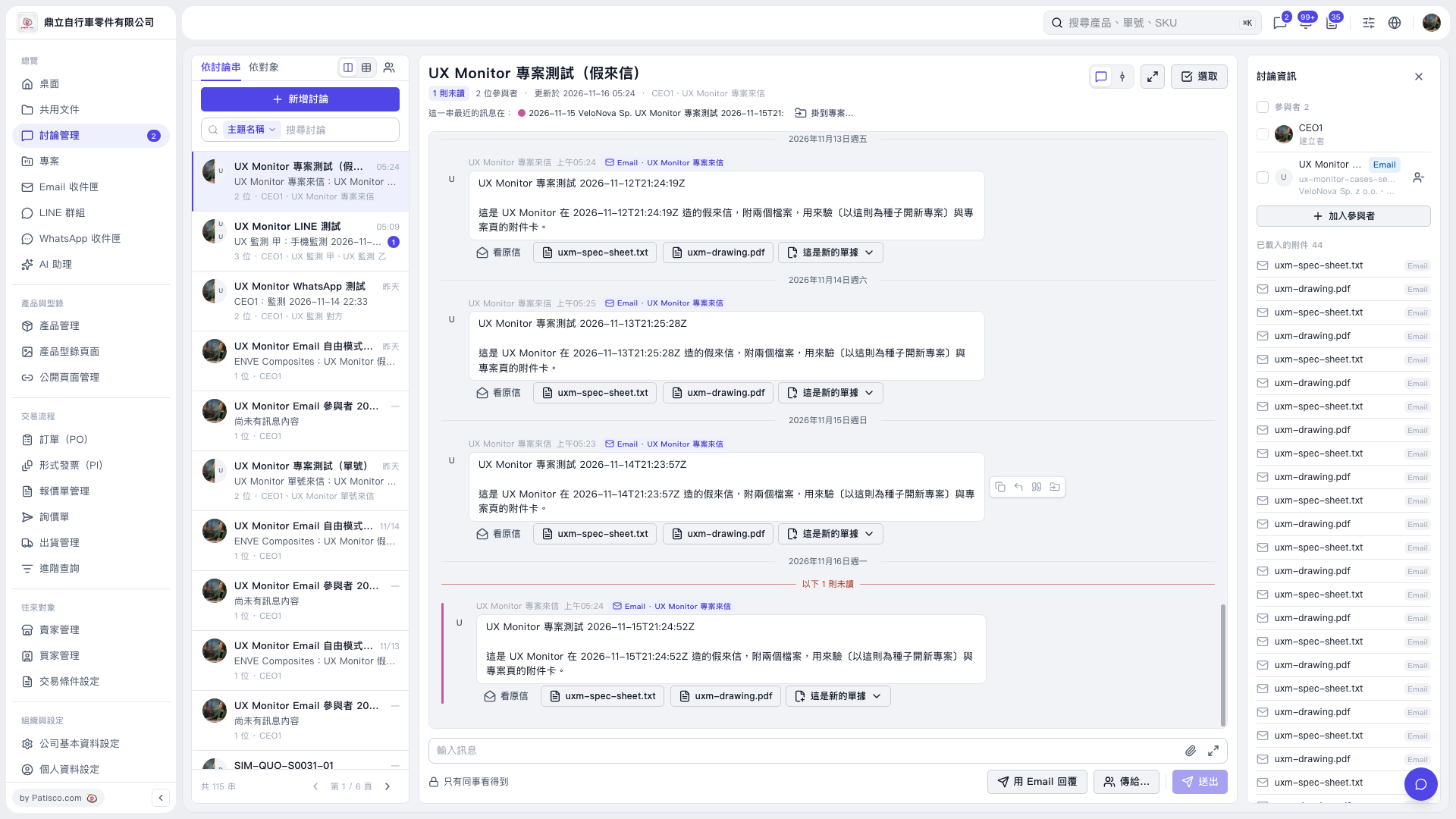
1. Select the thread you want to process from the discussion list on the left, such as “UX Monitor project test (mock incoming email)”. 2. Read the email in the center. To check the source information, click “View original email”, or click the attachments “uxm-spec-sheet.txt” and “uxm-drawing.pdf” to view them. 3. Click “This is a new document” below the email to open the document processing menu. 4. Select the appropriate action for creating or categorizing the document from the expanded menu. The menu is not expanded in the currently provided screen, so the specific option names cannot be confirmed.
 V5 新桌面版|UX Monitor 專案測試(假來信)