
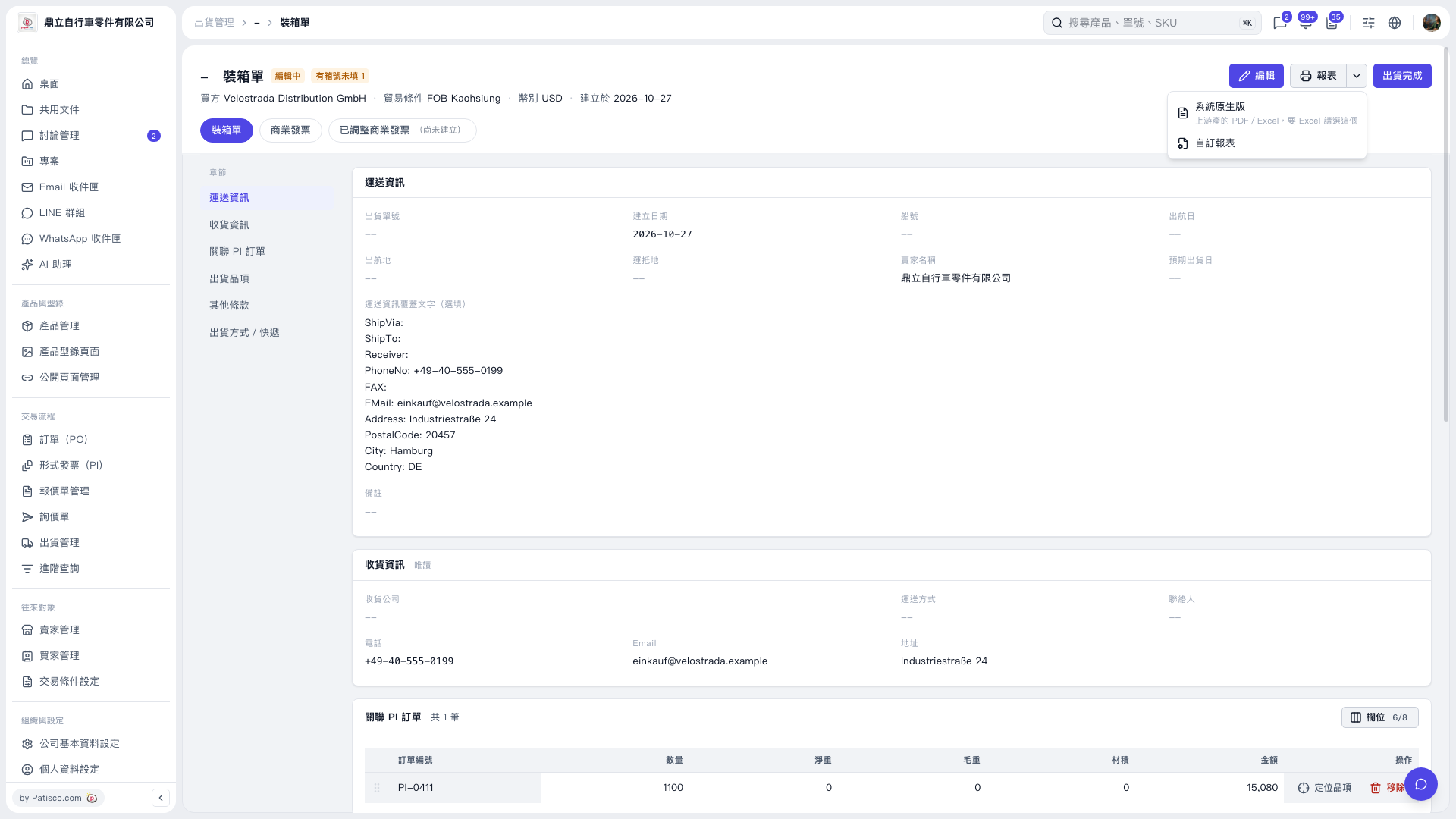
1. On the “Packing List” tab, first check the buyer, shipping information, delivery information, and linked PI orders. 2. If changes are needed, click “Edit” in the upper-right corner. The current page indicates that one carton number is missing. Check and fill it in first. 3. Click “Reports” in the upper-right corner and select “System Default,” then print or export from the following screens. If you need Excel, select it after opening the report screen. 4. To use a custom format, select “Custom Report” from the “Reports” menu.
 V5 新桌面版|裝箱單