
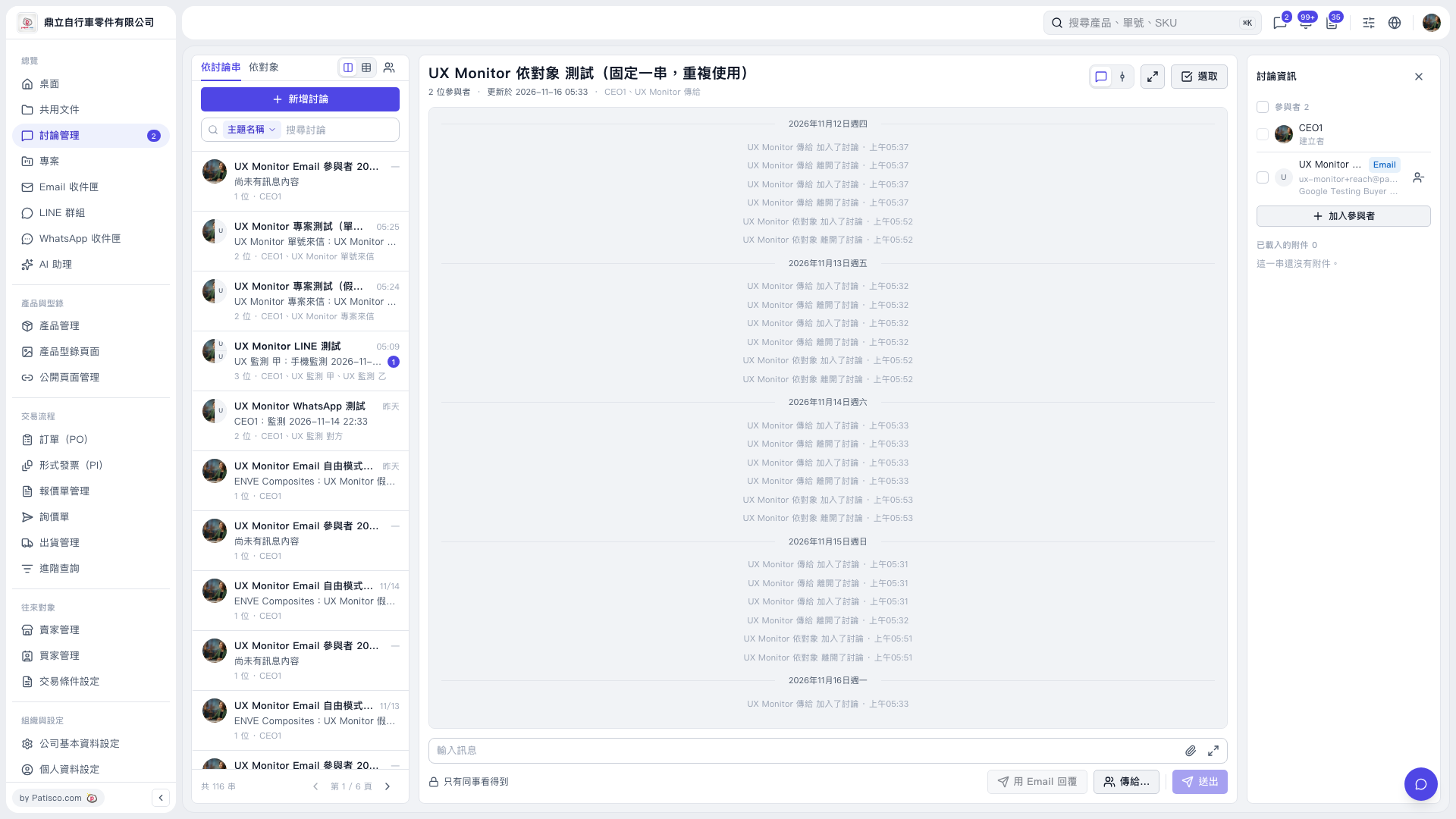
1. On the left side of “Discussion Management,” click the thread you want to open. You can also use “Search Discussions” to find it. 2. Enter your message in the “Enter Message” field at the bottom of the central discussion area. To attach a file, click the paperclip icon on the right. 3. Click “Send to…” to view and set the message recipients. The window lists companies, people, and available sending methods, such as “Send Email” next to an email contact. 4. Before sending, check whether “Only Visible to Colleagues” is displayed. Confirm that the recipients meet your needs, then click “Send.”
 V5 新桌面版|討論管理