
1. Open the Proforma Invoice and first check the document number, buyer, amount, and document status at the top. 2. Click “Edit” at the top right, then check the items, unit prices, and quantities in “Item list (1)”. The on-screen instructions indicate that you can double-click editable fields, press Enter to save, and press Esc to cancel. 3. To add items, click “Add items”. To create a new item, click “New item”. 4. After checking the contents, click “Submit” at the top right.
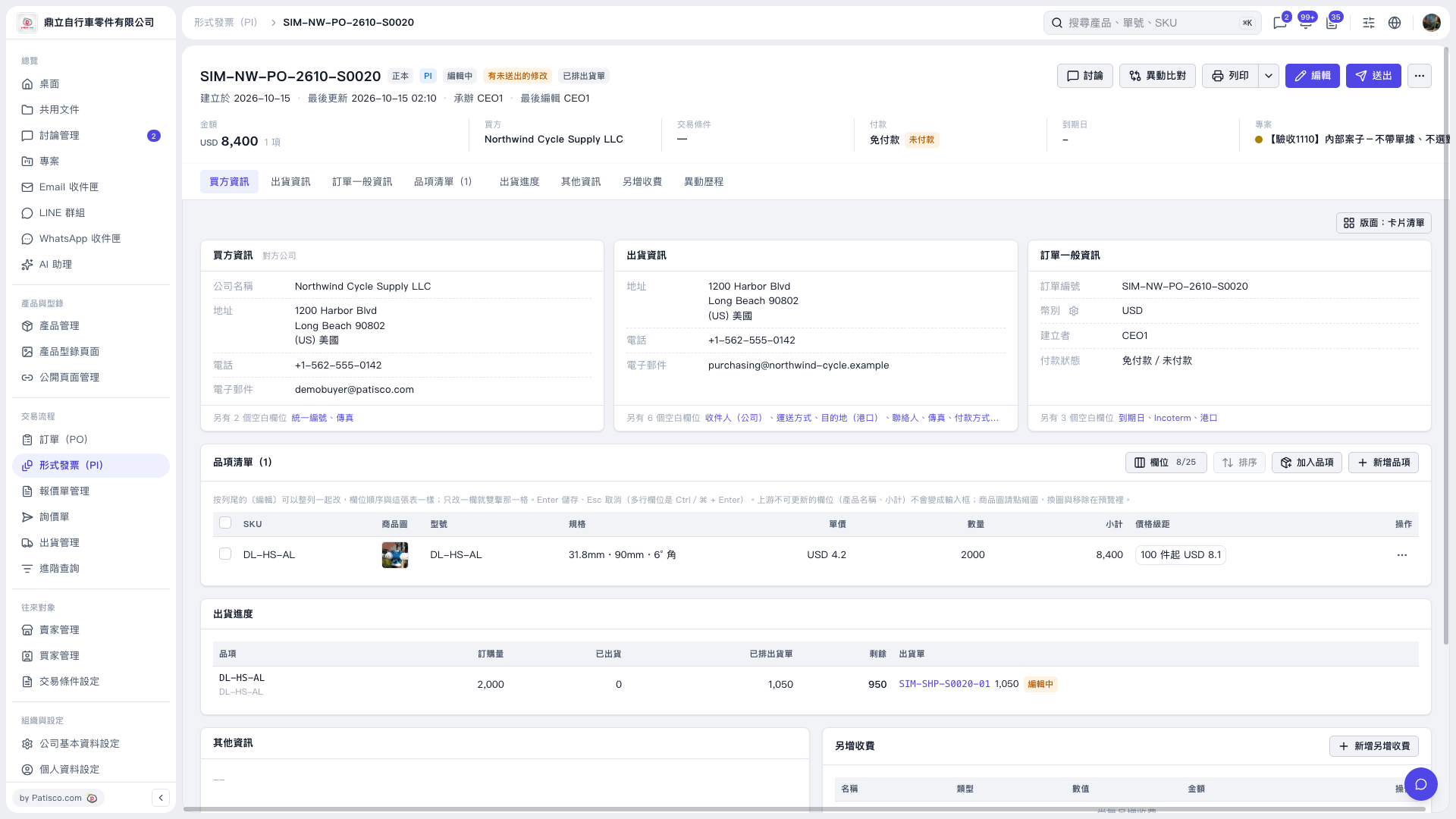 V5 新桌面版|形式發票(PI):SIM–NW–PO–2610–S0020