
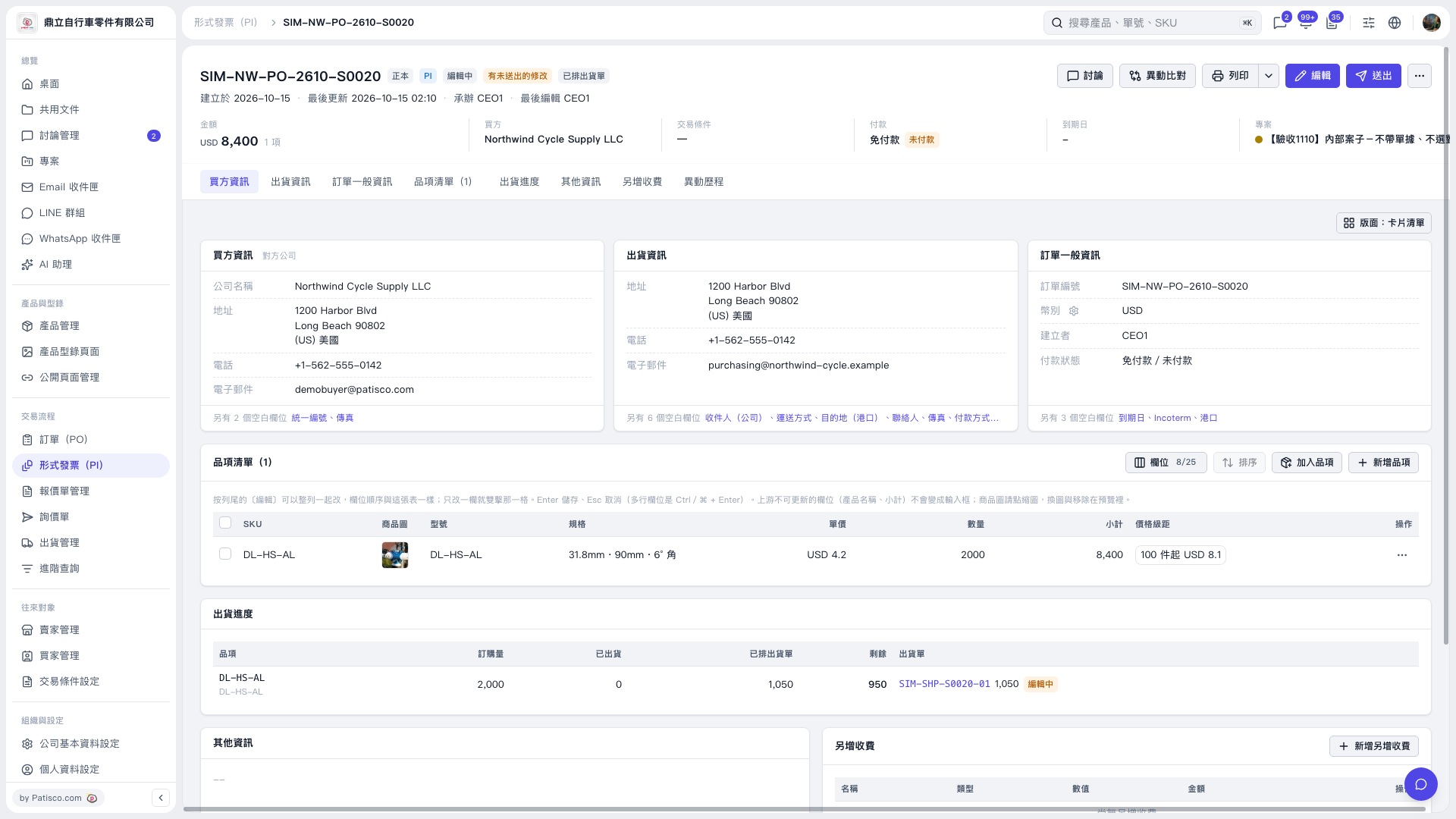
1. Open the Proforma Invoice you want to change and check the document number and buyer information. 2. Find the item you want to change in the “Item list” and check its SKU, model, and specifications. 3. Double-click the “Specifications” cell and enter or paste the product name, such as “UX Monitor dummy item”. The current screen does not show a dedicated button for copying the name. 4. Press Enter to save. For multiline fields, use Ctrl/⌘ + Enter to save. Press Esc to cancel. 5. Check the specifications, unit price, quantity, and subtotal, then click “Submit” at the top right.
 V5 新桌面版|SIM-NW-PO-2610-S0020