
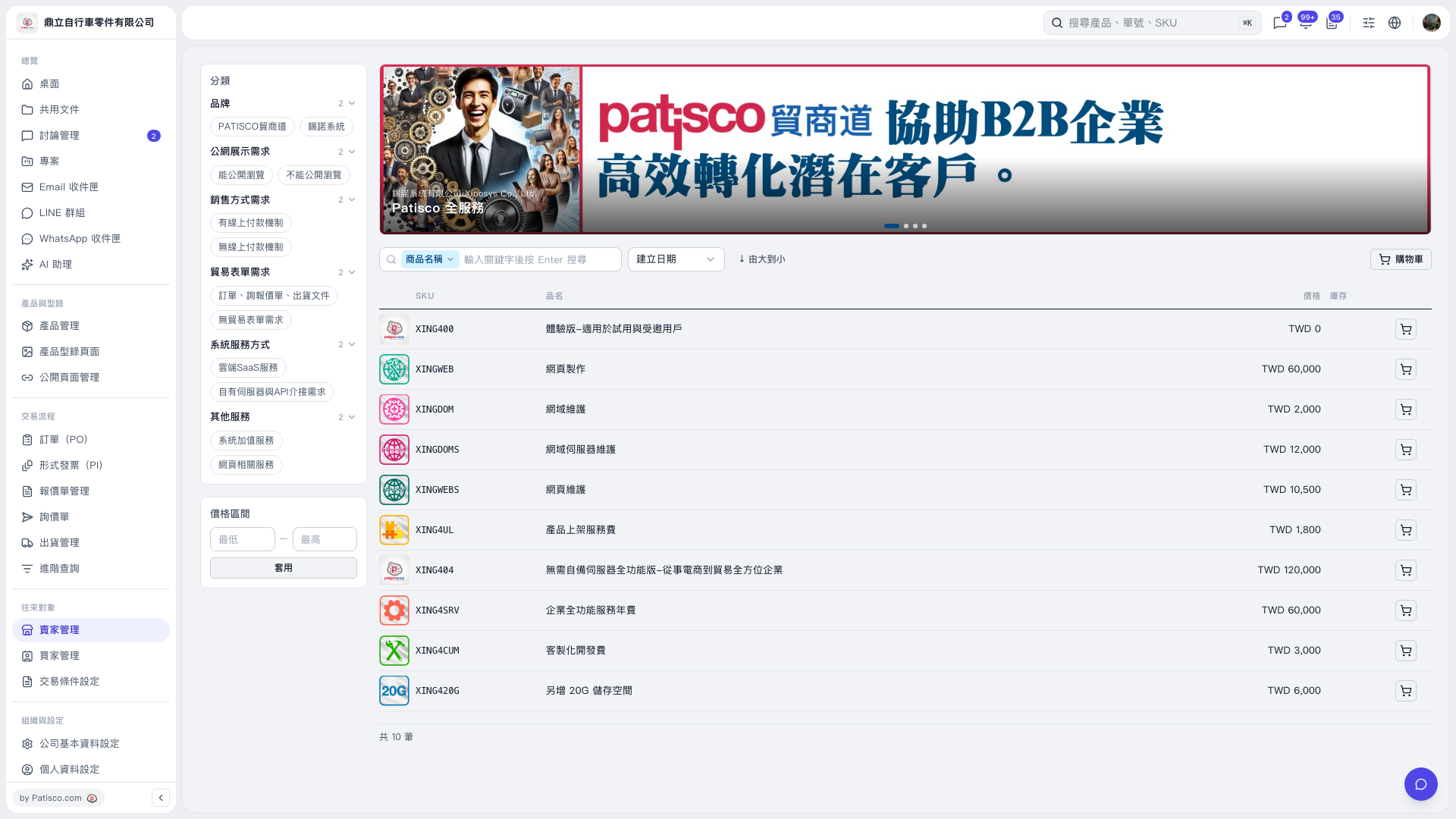
1. Above the list, make sure the search field is set to “Product Name”. Enter a keyword in “Enter a keyword and press Enter to search”, then press Enter. 2. You can also click the category filter tags on the left side of the list to filter products by brand, public display requirements, sales method requirements, and other conditions. 3. To limit the price range, enter the minimum and maximum prices under “Price Range”, then click “Apply”. 4. Use “Creation Date” to the right of the search box to select the sort field, then use “Descending” to change the sort direction.
 V5 新桌面版|產品型錄商品列表