
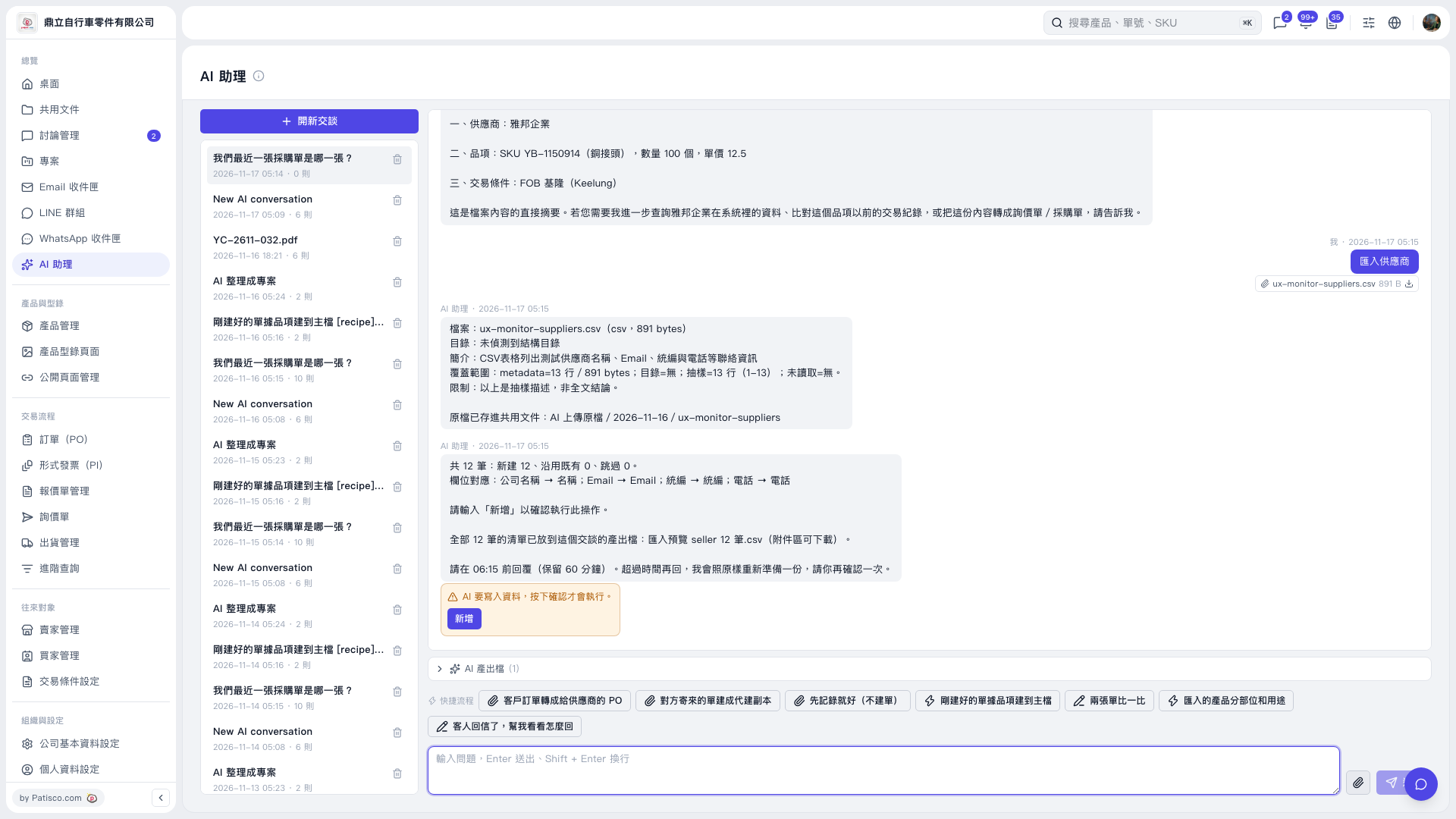
1. In “AI assistant”, click the “Attachment” paperclip icon to the right of the message input box and upload the supplier CSV. 2. Enter your import request and click “Send”. For example: “Import suppliers (12-row CSV).” An example AI response is: “12 records total: 12 new, 0 existing records reused, 0 skipped.” 3. Check the field mappings listed by AI: Company Name → Name, Email → Email, Tax ID → Tax ID, Phone → Phone. 4. Click “AI-generated Files (1)” below the chat area, then download “Import Preview seller 12 Records.csv” to check the complete data.
 V5 新桌面版|AI 助理