
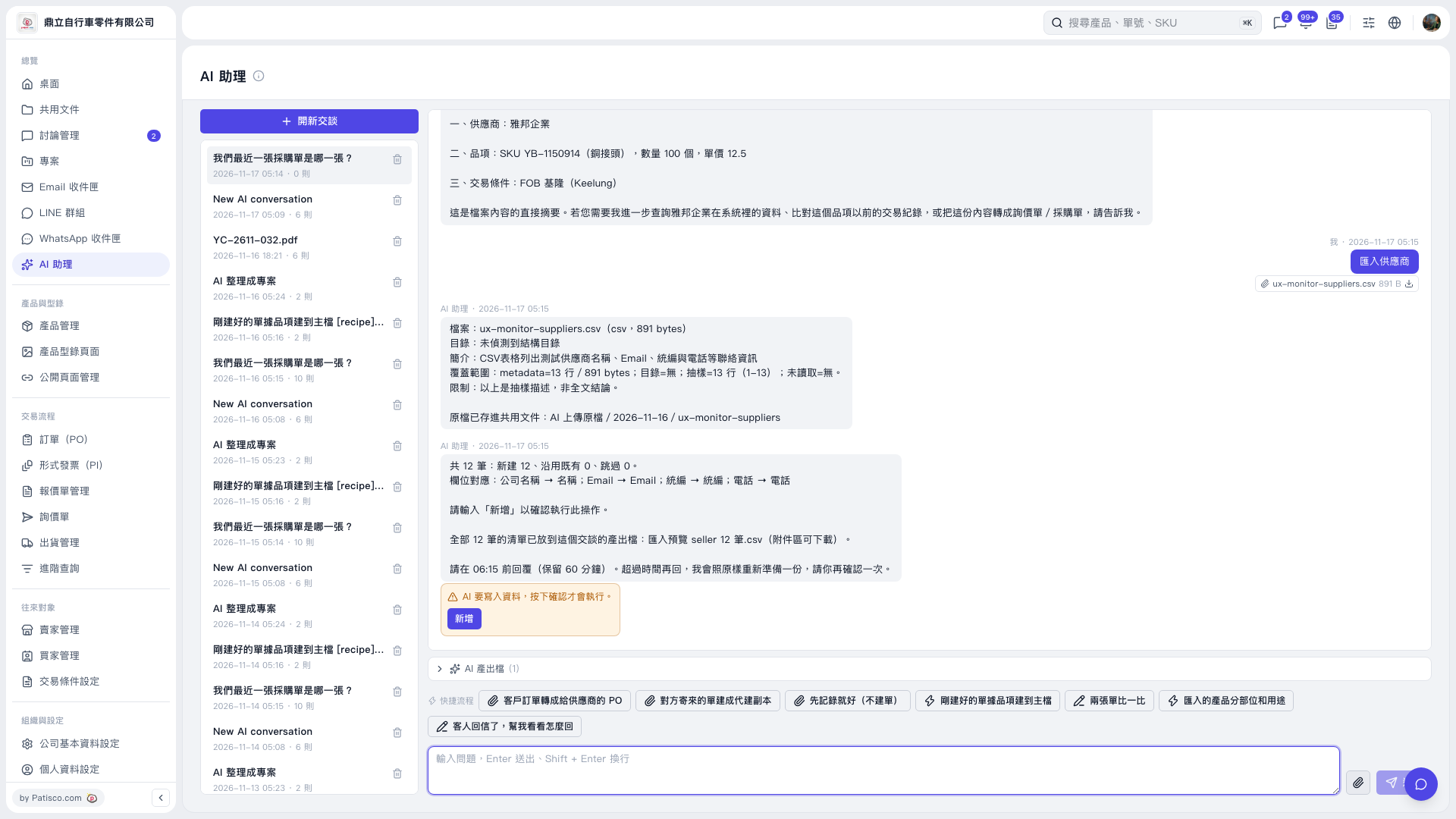
1. Check the import preview CSV, record count, and field mappings. 2. Within the time limit indicated by AI, click “Add” in the orange confirmation box, or enter “Add” in the message input box and click “Send”. For example, enter: “Add”. Before confirmation, AI will display this reminder: “AI is about to write data. It will only proceed after you confirm.” 3. After sending your confirmation, check the subsequent AI response to verify the actual execution result. Even if the preview lists “12 new”, confirmation is still required to execute the import. 4. If the indicated time limit has passed, submit the import request again, check the newly prepared preview, and confirm again.
 V5 新桌面版|AI 助理