
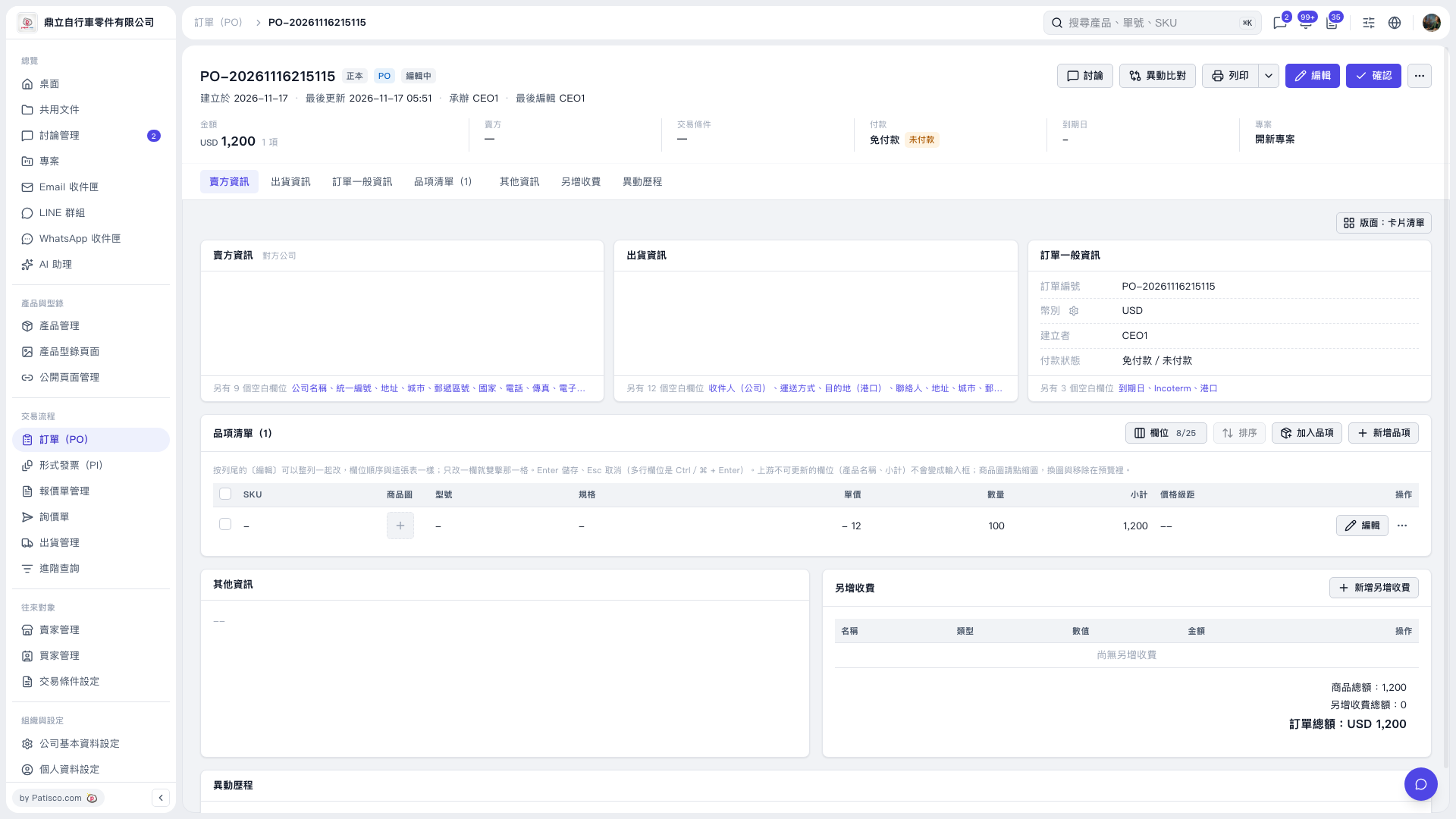
1. On the PO page, check the PO number, seller, item unit prices, quantities, and PO total. To make changes, click “Edit” in the upper-right corner or on the right side of an item row. 2. Click “Print” in the upper-right corner to start the printing process. To view other print options, click the dropdown arrow next to “Print.” 3. After opening the print preview, check the PO content as it will appear on paper. In this example, “Patisco Standard (Default)” is used, and the preview shows a quantity of 100, a unit price of USD 12, and a PO total of USD 1,200.
 V5 新桌面版|PO-20261116215115