
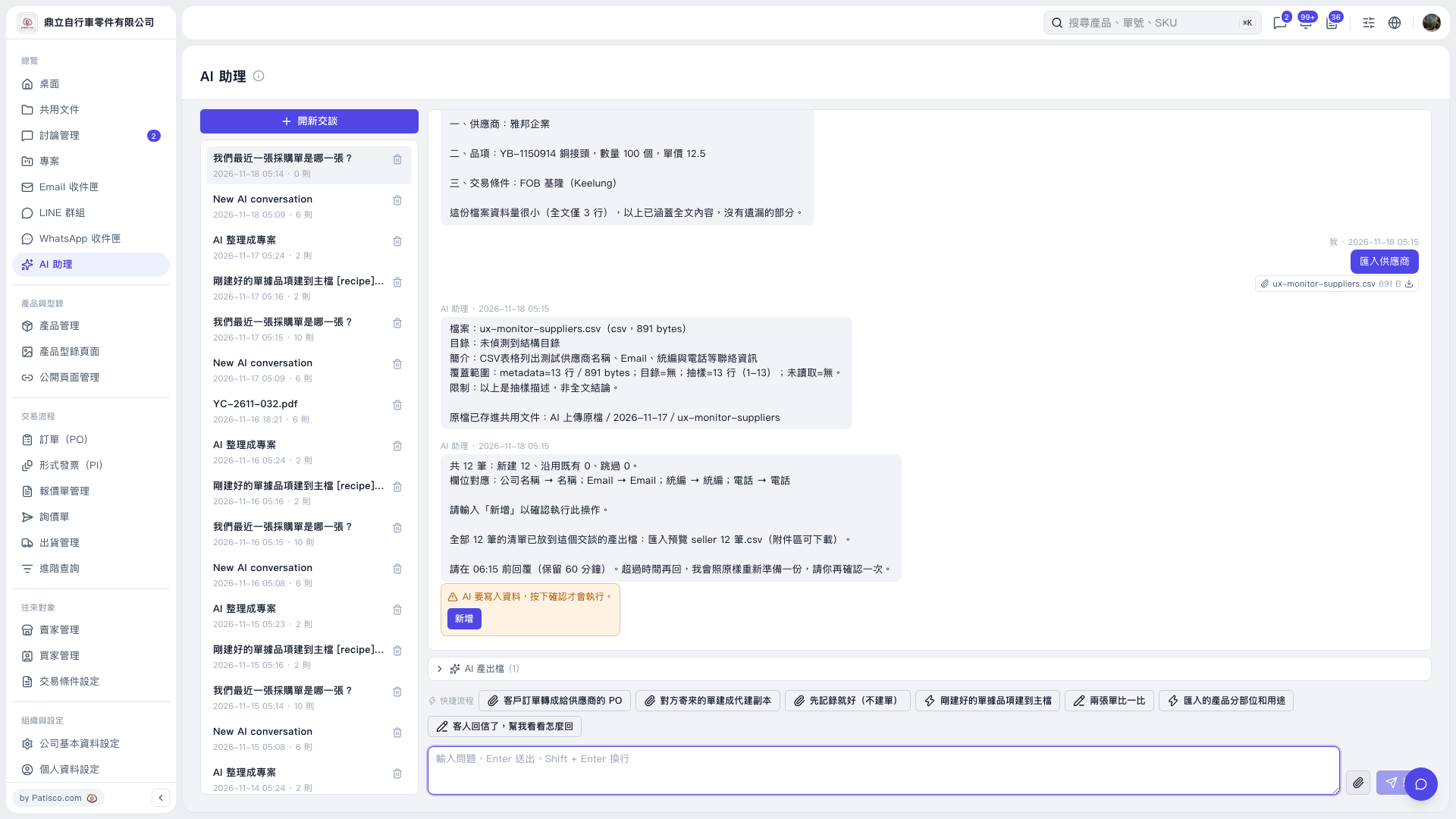
1. Below the chat area of the "AI assistant", click "AI output files (1)", expand the list, and download "匯入預覽 seller 12 筆.csv". 2. Check the 12 records to be created and the field mapping: Company name → Name, Email → Email, Tax ID → Tax ID, Phone → Phone. 3. You can ask like this: attach the CSV and enter "Import sellers (12 rows csv)". The AI would reply, for example: "12 records in total: 12 new, 0 existing reused, 0 skipped", and provide the import preview file.
 V5 新桌面版|AI 助理