
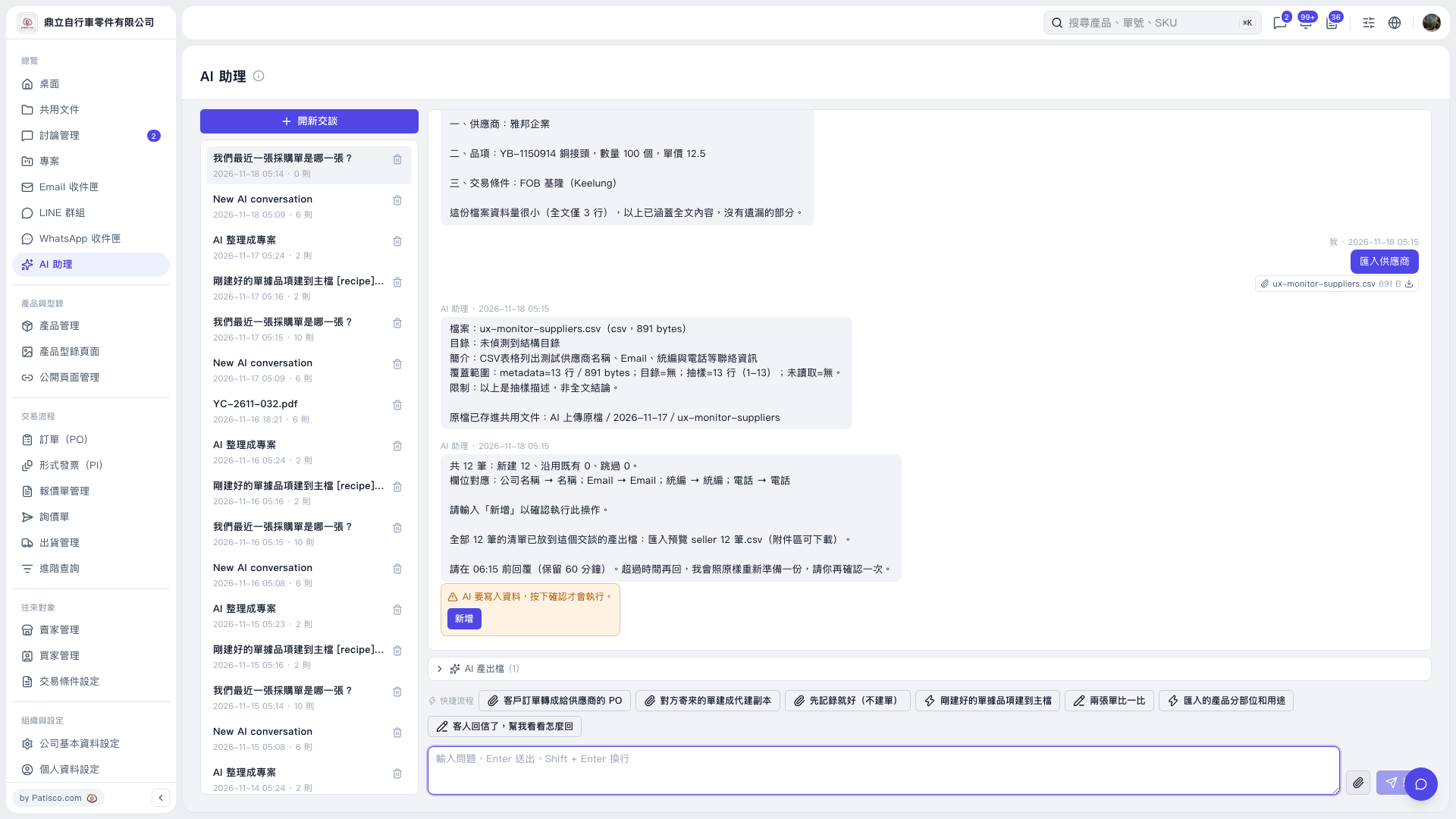
1. After checking that the preview is correct, click "Add" in the orange confirmation box, or type "Add" in the message box and send it with the send icon or Enter. The data is written only after this step. 2. Confirm within the time limit given by the AI. In this conversation, a reply is required before 06:15, and the hold time is 60 minutes. 3. After sending, check the AI's follow-up reply to confirm the result. If the time limit has passed, you can ask: "Please prepare the supplier import preview again." How the AI will reply: according to this prompt, it will prepare the preview again as it was and ask you to confirm.
 V5 新桌面版|AI 助理