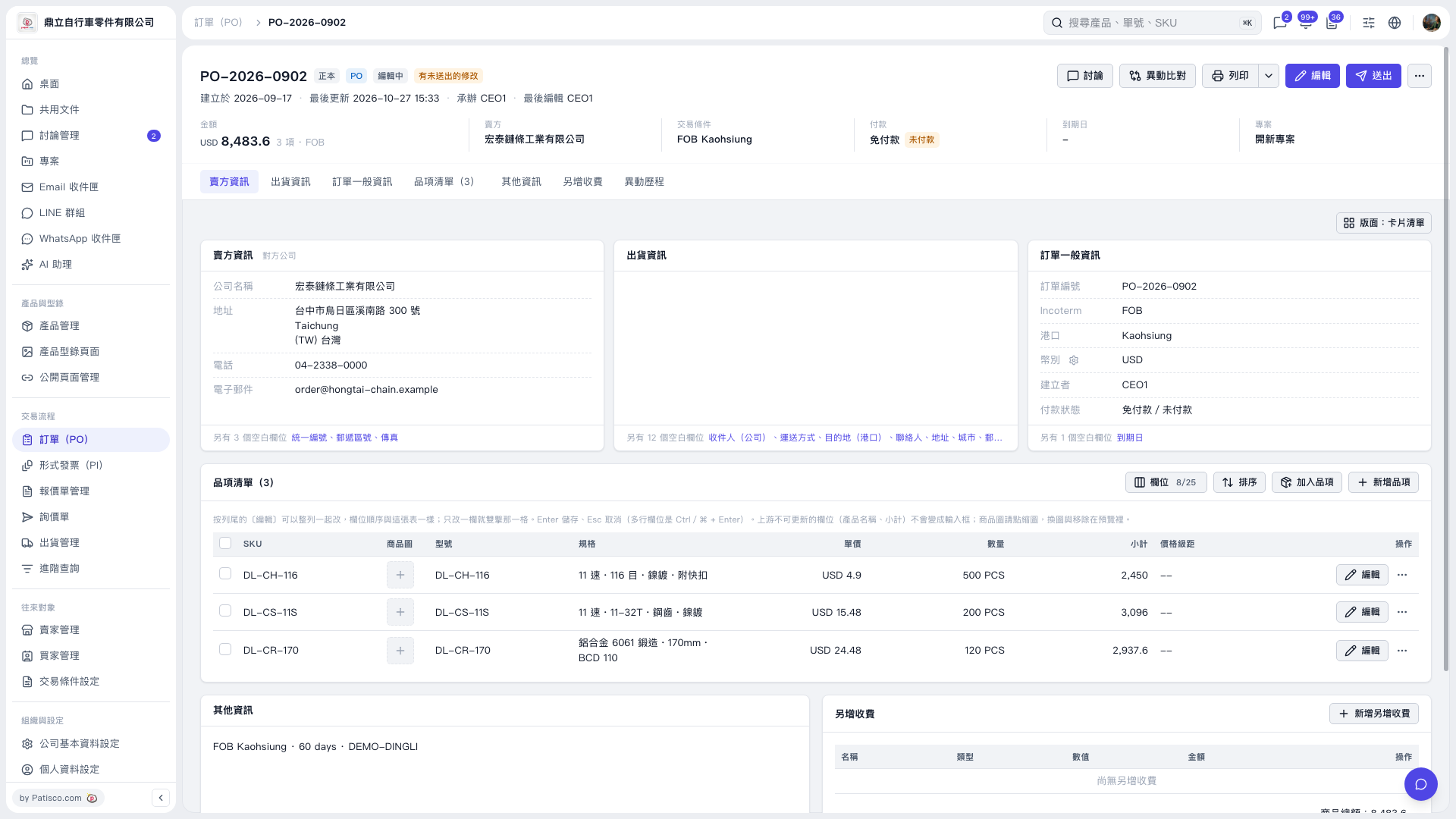
1. On the PO details page, click "Item list (3)" to view the PO items. 2. Click "Columns 8/25" at the top right of the item list to set which columns the table displays. 3. Click "Sort" to adjust the order of the items.
 V5 新桌面版|PO–2026–0902

1. On the PO details page, click "Item list (3)" to view the PO items. 2. Click "Columns 8/25" at the top right of the item list to set which columns the table displays. 3. Click "Sort" to adjust the order of the items.
V5 新桌面版|PO–2026–0902