
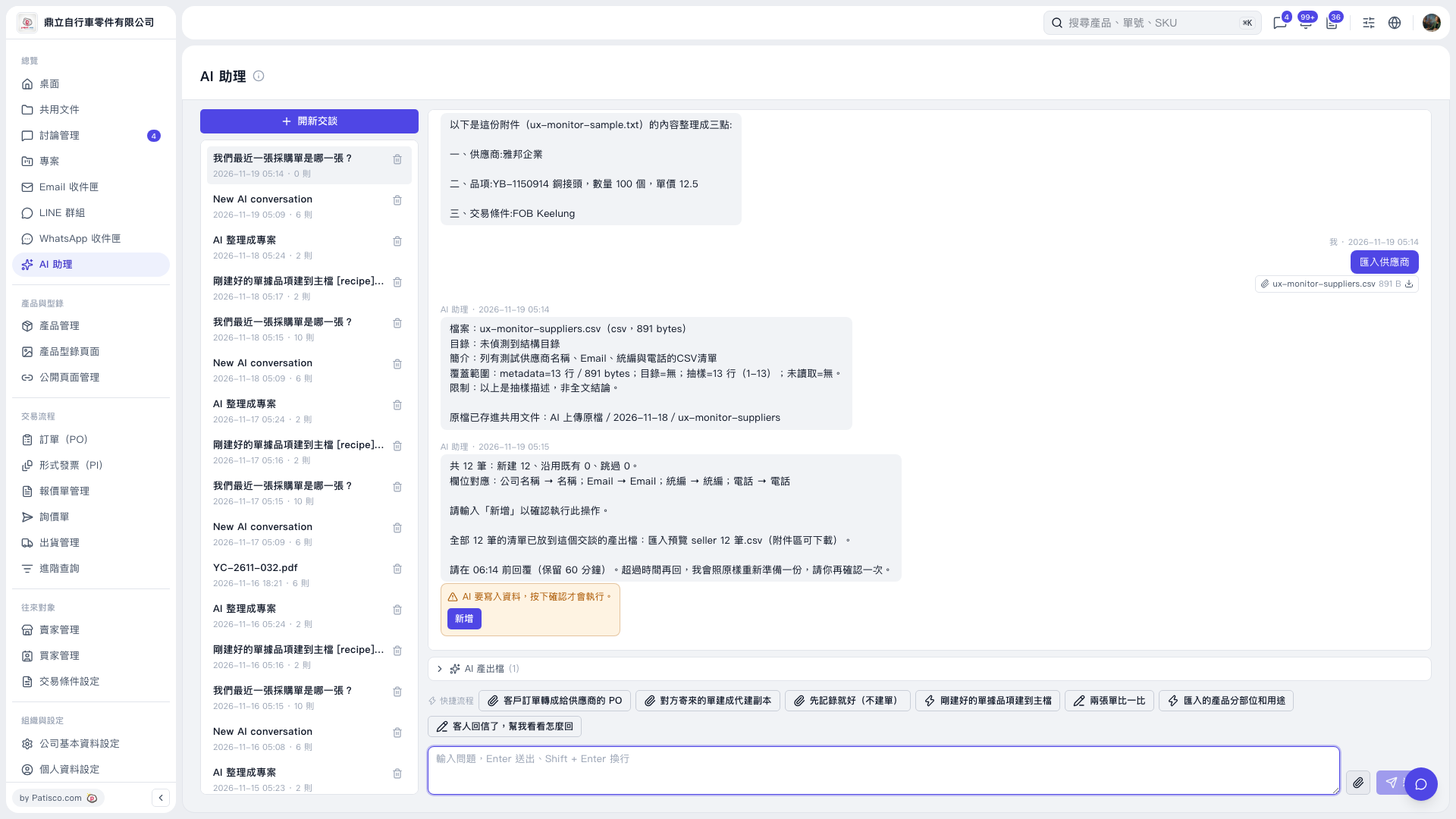
1. After the preview appears, confirmation is still required before the data is written. First, click “AI-generated files (1)” to download the import preview CSV and check its contents and field mappings. 2. Once you have checked that everything is correct, click “Add” within the time limit specified by AI. You can also enter “Add”. 3. Before confirmation, AI displays this reminder: “AI is about to write data. The action will only run after you confirm.” After submitting confirmation, check the follow-up response to confirm the result. 4. The confirmation remains available for 60 minutes. If the time limit has passed, AI will prepare a new preview. Check it again and confirm.
 V5 新桌面版|AI 助理