
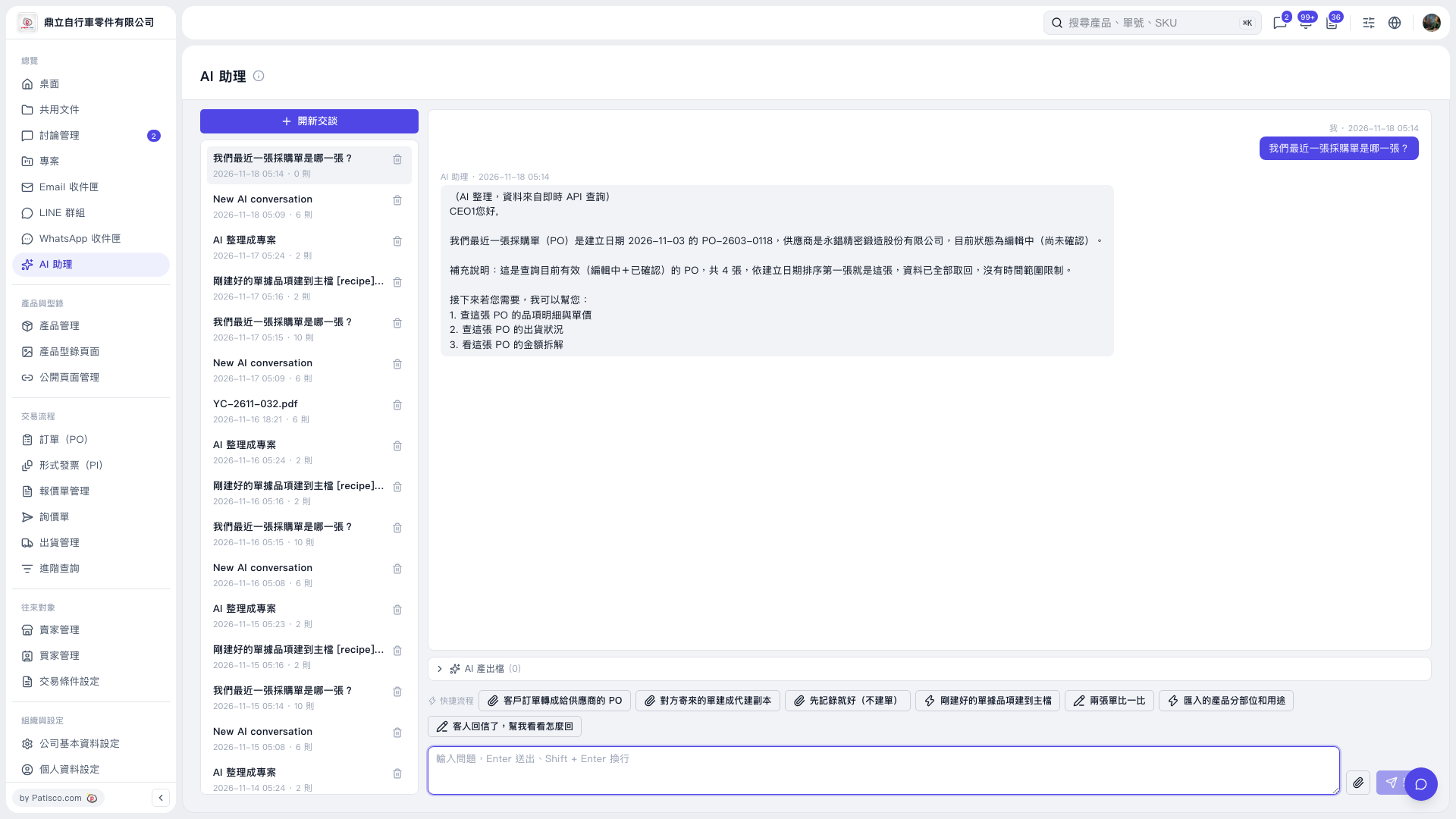
1. On the "AI assistant" page, click "New chat", or select an existing chat from the chat list on the left. 2. Enter your question in the message input box at the bottom. For example, you can ask: "Which is our most recent PO?" 3. Press Enter or click the paper plane icon to send; to start a new line, press Shift + Enter. 4. Read the AI's reply. For this query, the AI would reply: "The most recent PO is PO-2603-0118, created on 2026-11-03. The supplier is 永錩精密鍛造股份有限公司, and the status is Editing (not yet confirmed)." 5. To keep asking, enter in the same chat: "Look up the line items and unit prices of this PO." and send it.
 V5 新桌面版|AI 助理