
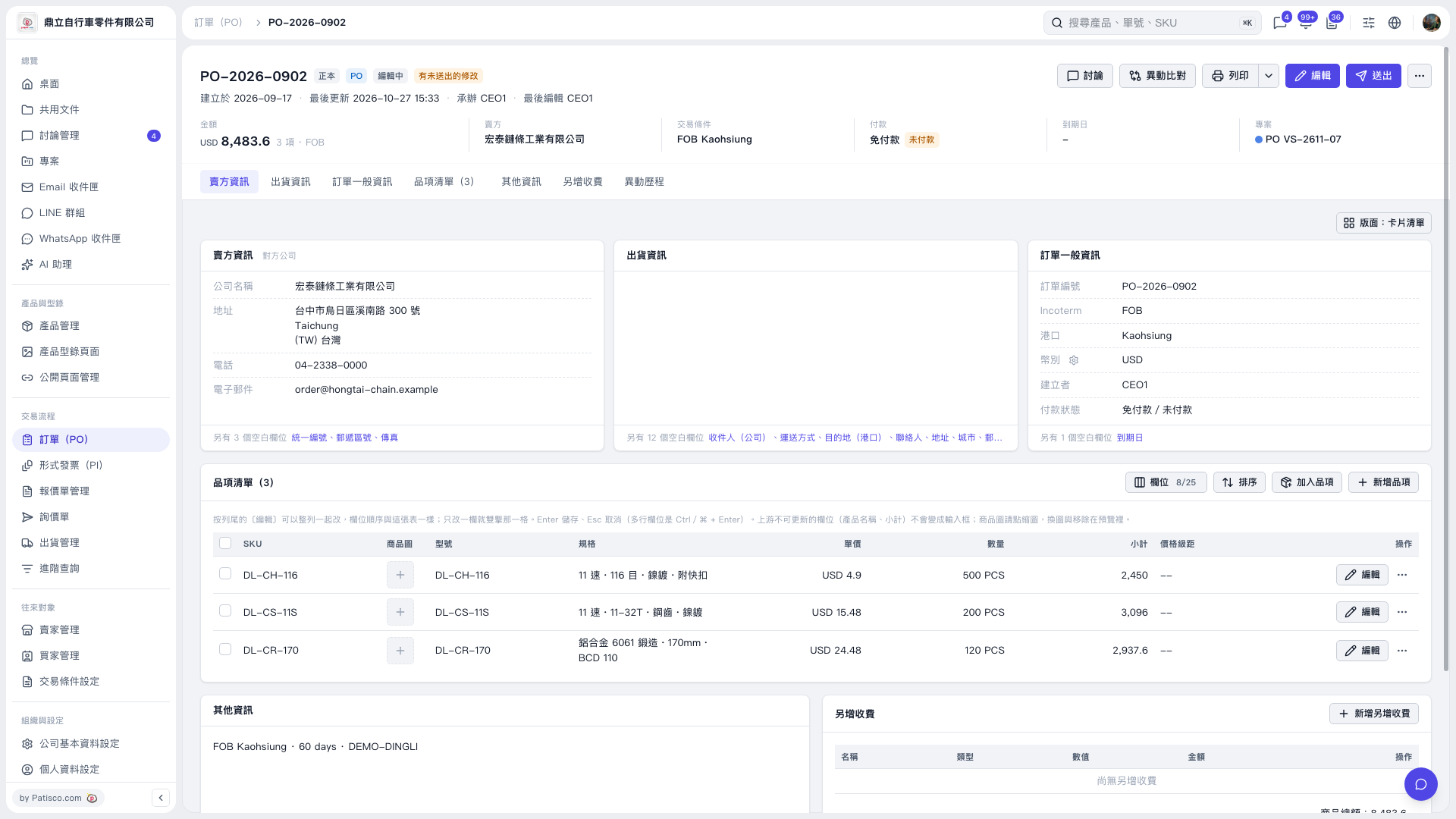
1. On the PO details page, check the PO number, seller, total amount, trading conditions, and payment status in the header. 2. Click “Edit” in the upper-right corner to edit the PO information. To edit only a specific item, click “Edit” on the right side of that row. 3. Check the items’ unit prices, quantities, and subtotals, as well as the PO total. To review the changes in the diff view, click “Compare Changes” in the upper-right corner. 4. After reviewing the details, click “Submit” in the upper-right corner. The current screen indicates that there are unsubmitted changes, so check whether submission has been completed.
 V5 新桌面版|PO–2026–0902