
1. Check the buyer information, shipping information, and general PO information. You can click the tabs at the top to jump to the corresponding sections. To make changes, click “Edit” in the upper-right corner. 2. In “Item List,” check the items, specifications, unit prices, and quantities. To add items, click “Add Item” or “Create Item.” 3. Check “Shipping Progress.” Click a shipping document number to open the corresponding shipping document. 4. After checking the details, click “Send” in the upper-right corner. To print, click “Print”.
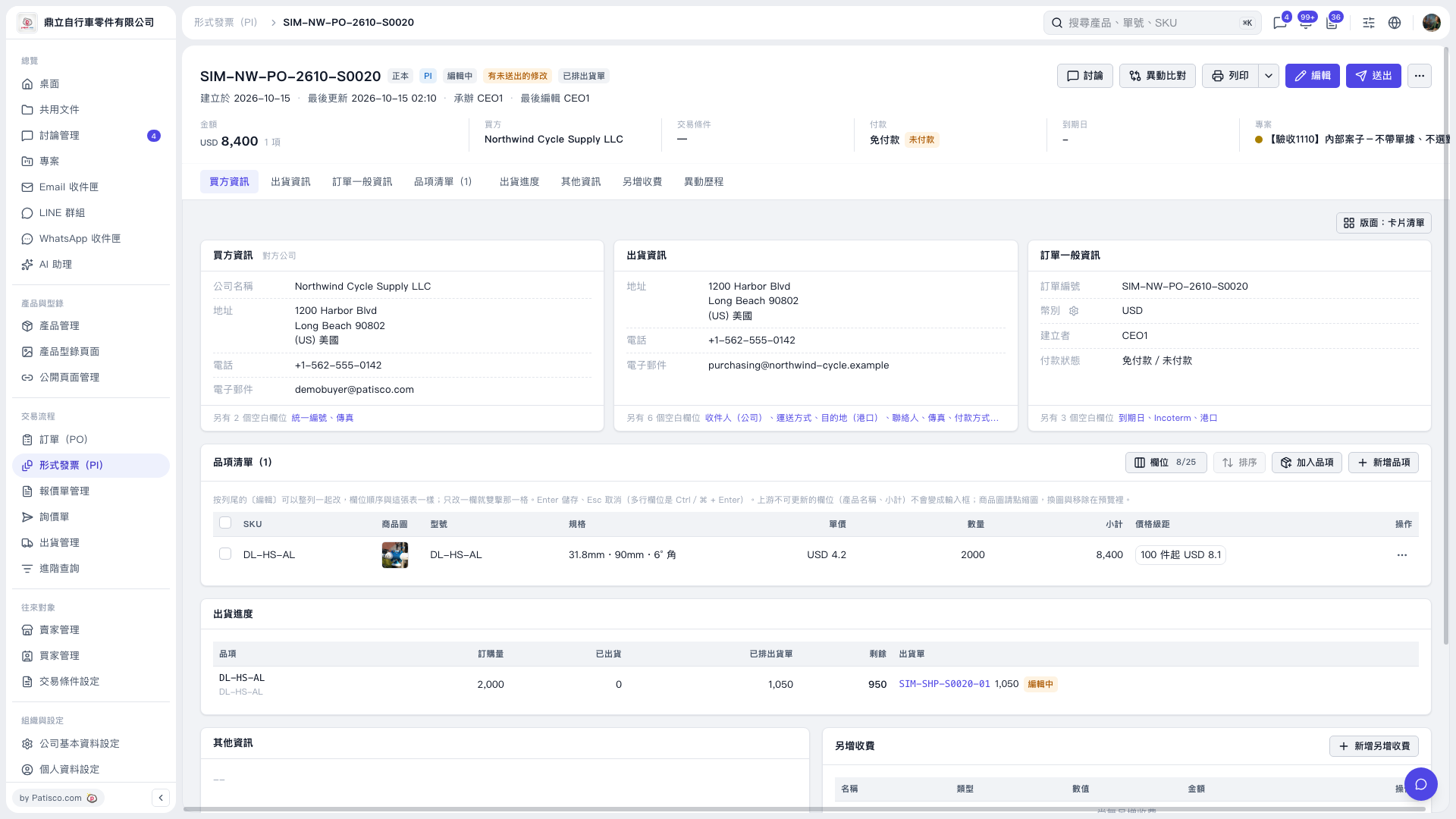 V5 新桌面版|SIM–NW–PO–2610–S0020