
1. In “Item List,” find the product you want to edit and click the “Specifications” cell in that row. 2. Enter or paste the specification text, then press Enter to save. For multiline fields, press Ctrl/⌘ + Enter to save. Press Esc to cancel. 3. After checking the items and amounts, click “Send” in the upper-right corner to submit the changes.
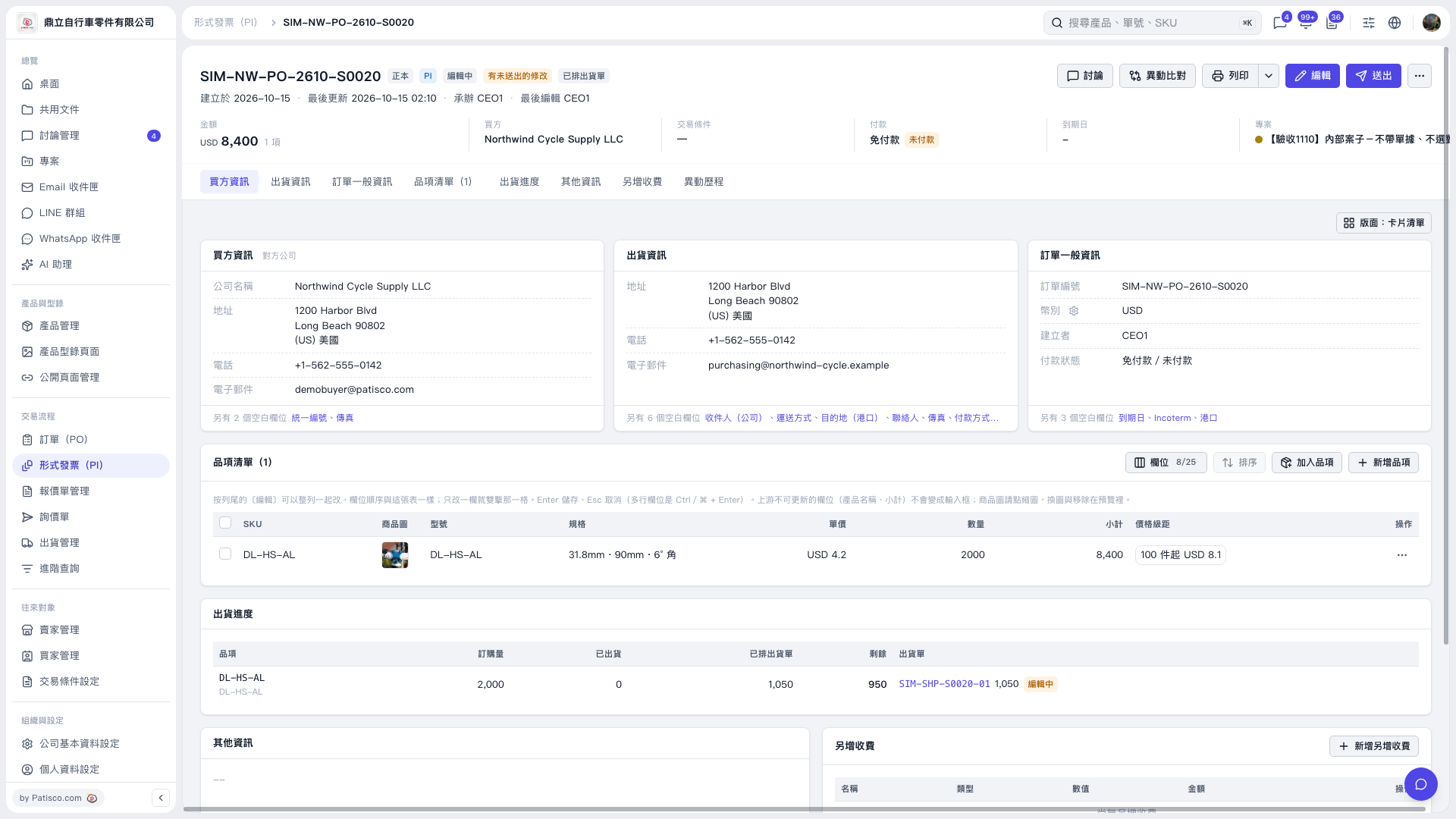 V5 新桌面版|形式發票 SIM–NW–PO–2610–S0020