
1. On the Proforma Invoice details page, check the invoice number, buyer, trading conditions, and payment information. 2. Click “Edit” in the upper-right corner and edit the details that need to be changed. 3. Go to “Item List (3)” to check the items, unit prices, quantities, and subtotals, and confirm the invoice total. To review the changes, click “Diff View” in the upper-right corner. 4. After confirming the details, click “Submit” in the upper-right corner. 5. To print the Proforma Invoice, click “Print” in the upper-right corner.
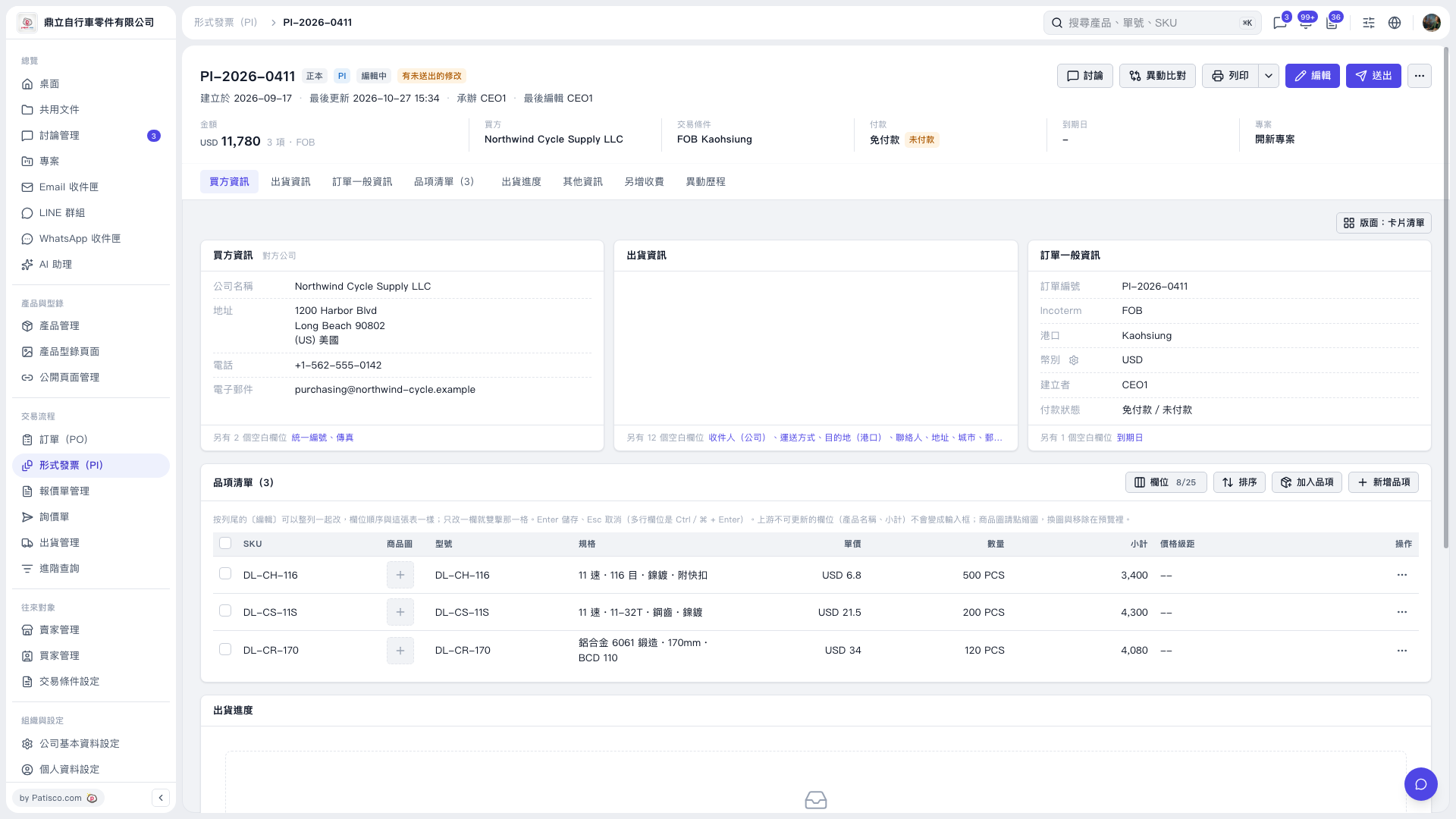 V5 新桌面版|PI-2026-0411