
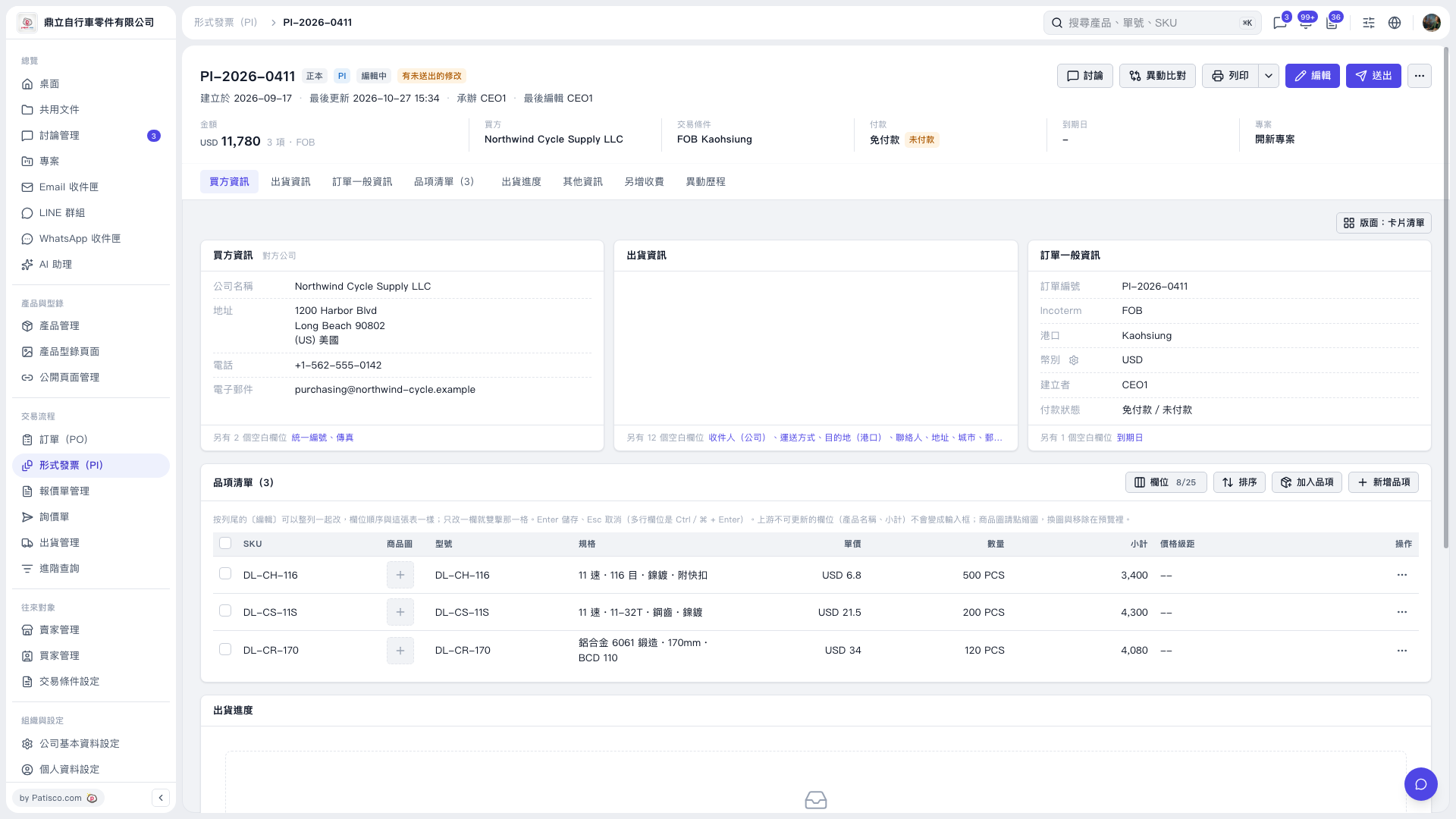
1. On the Proforma Invoice details page, click “Item List (3)” to view the items. 2. To add existing items, click “Add Items” at the upper right of the item list. To create a new item and add it to the list, click “New Item”. 3. To adjust the columns displayed in the table, click “Columns 8/25”. To adjust the item order, click “Sort”. 4. Check each item’s unit price, quantity, and subtotal. After confirming the invoice total, click “Submit” in the upper-right corner.
 V5 新桌面版|PI-2026-0411