
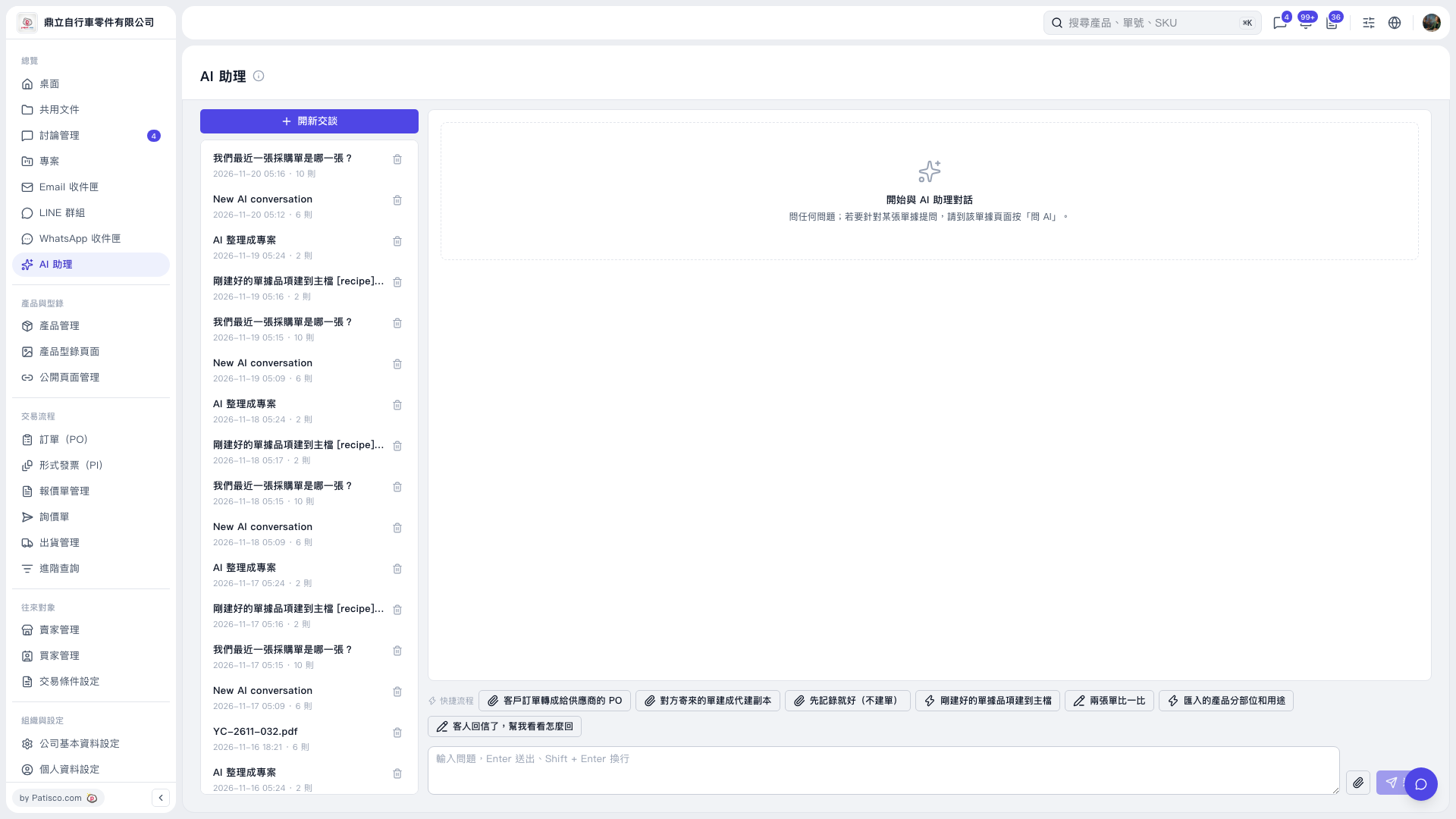
1. On the "AI assistant" page, click "New Conversation", or click a past conversation title on the left. 2. At the bottom of the conversation area, select the shortcut workflow you need: "Convert a Customer PO into a PO for a Supplier", "Create a Copy on Behalf of the Other Party from a Document They Sent", "Just Record It (Do Not Create a Document)", "Add Items from the Newly Created Document to the Master Data", "Compare Two Documents", "Classify Imported Products by Part and Use", or "The Customer Replied—Help Me Work Out a Response". 3. Add your requirements in the message input box. If you need to provide files, click the paperclip icon to attach them. 4. Press Enter or click the paper airplane icon to send. Press Shift + Enter to insert a line break.
 V5 新桌面版|AI 助理