
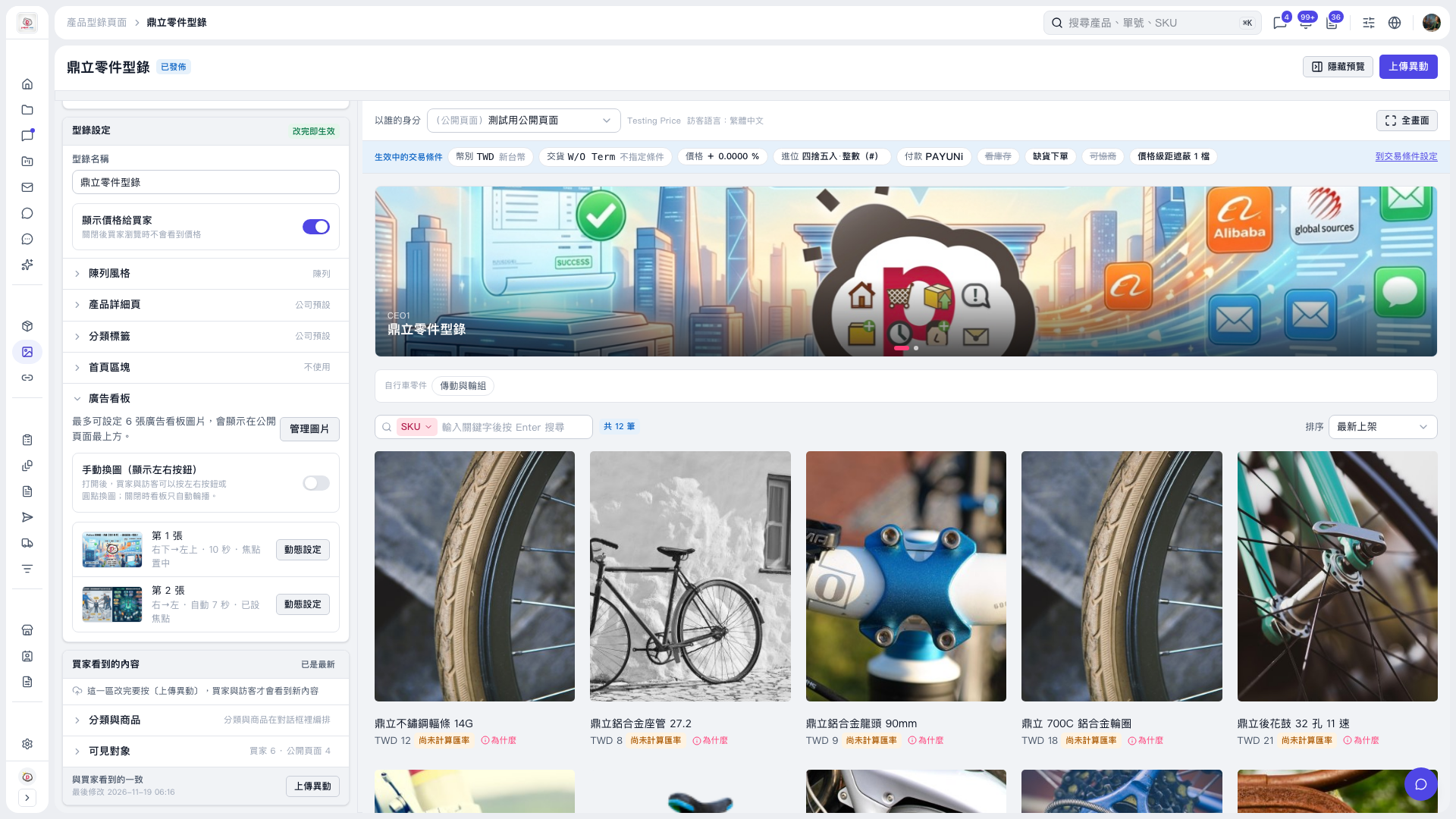
1. Expand “Banner” on the left side of the catalog editing page and find the image you want to adjust. 2. Click “Animation Settings” to the right of the image and adjust the movement direction, playback duration in seconds, and focal point. 3. Check the effect in the preview on the right. Click “Full Screen” if you need a larger view. 4. If you have content changes to publish, click “Upload Changes” so buyers and visitors can see the updates.
 V5 新桌面版|鼎立零件型錄