
1. After logging in, open the V5 desktop and confirm that you are on “Desktop – Analytics” (“Analytics” appears at the upper left of the main content area). 2. Find the “Documents to Process” section and check the documents under “Past Due” and “Sync Required”. 3. Use the document number, trading partner, due date, amount, and status to decide which items to handle first. 4. To change the view, click “List” or “Timeline” in the upper right of the section. If the data has not updated, click “Refresh” in the upper right. 5. To find other POs, click “All POs” at the lower left of “Recently Updated POs”, or enter a document number in “Search Products, Document Numbers, SKUs” on the right side of the top toolbar.
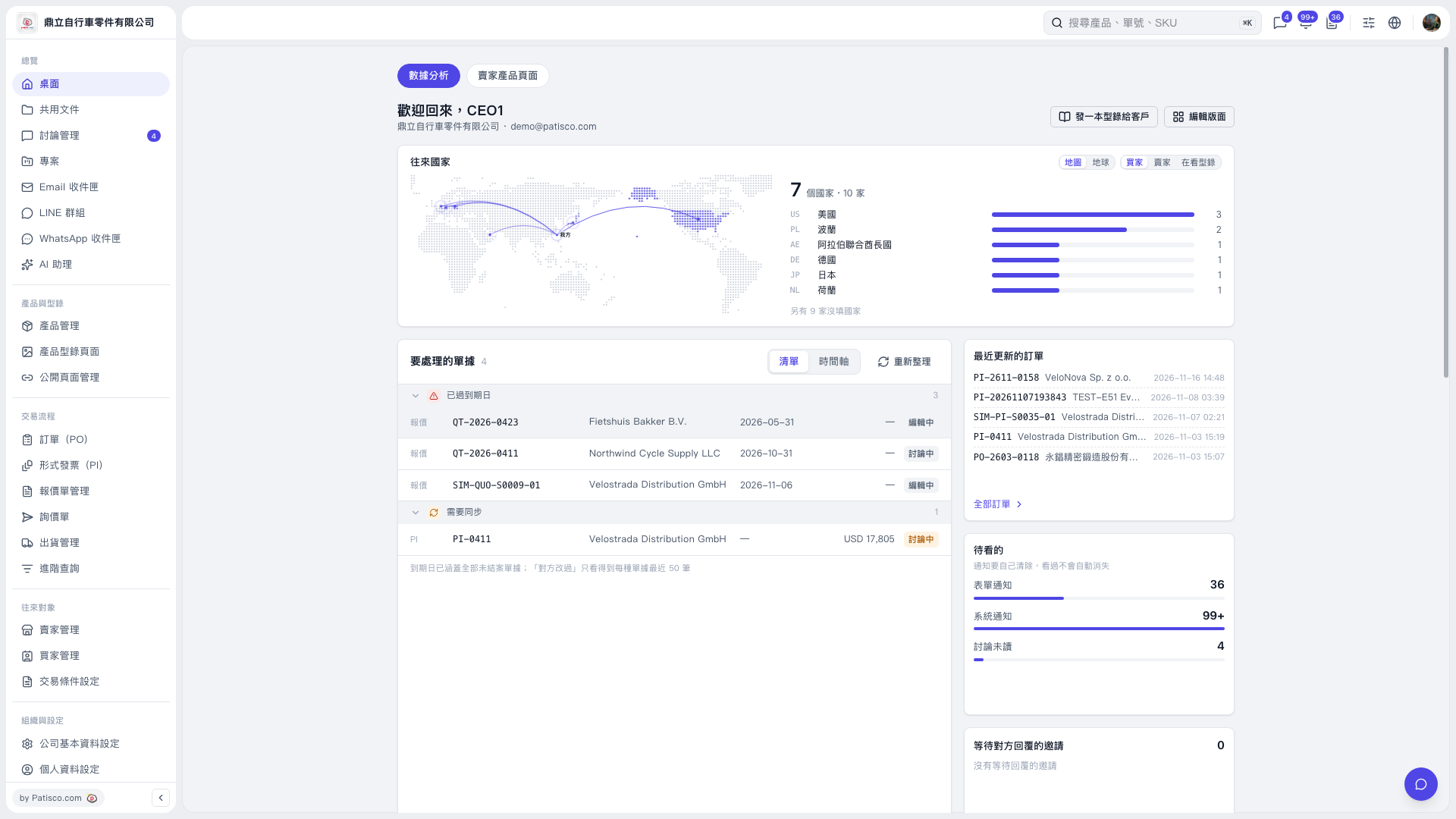 V5 新桌面版|桌面-數據分析