
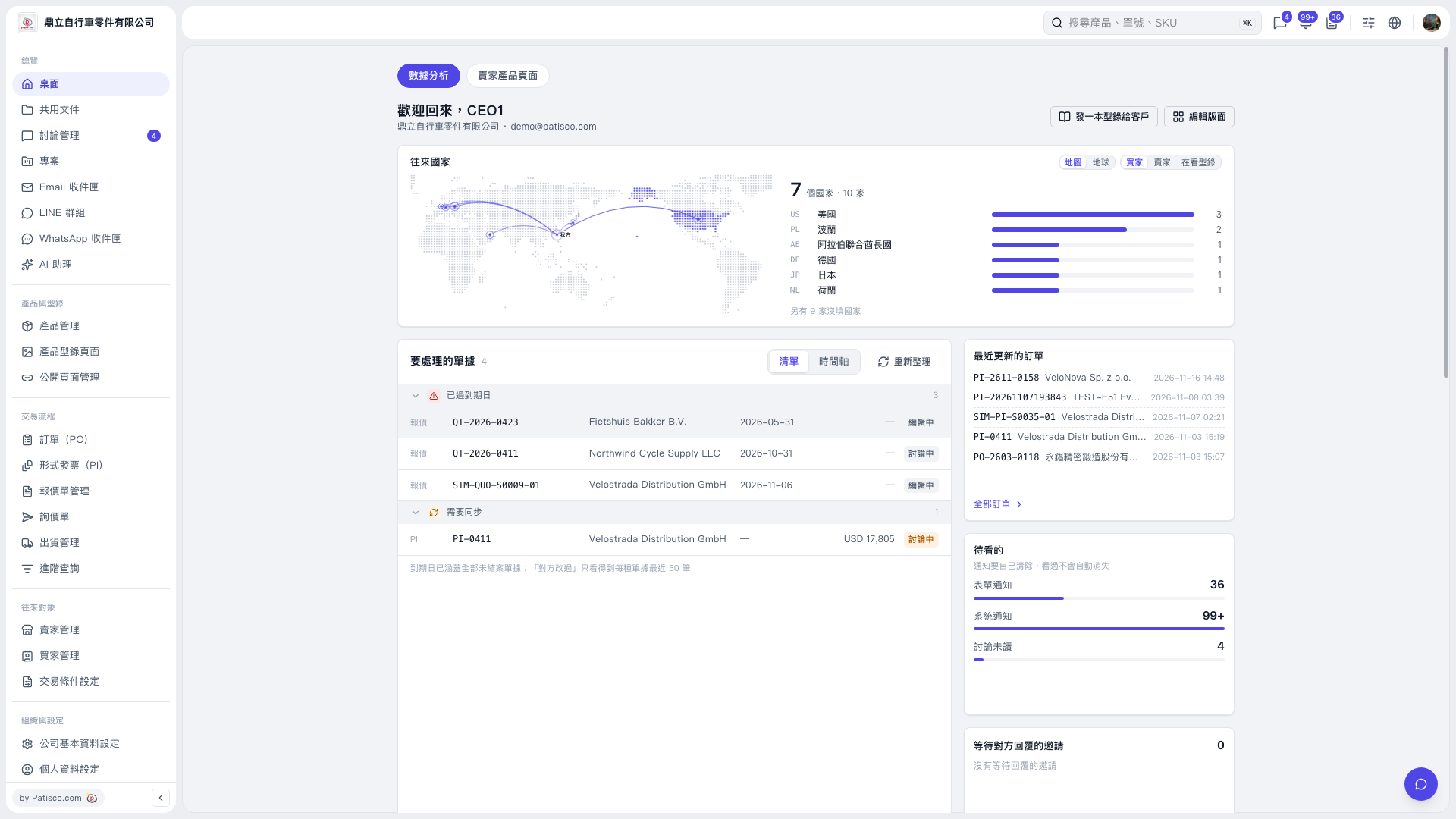
1. Select “Desktop” on the left to view “Analytics” and the task summary. 2. In “Documents to Process”, check the “Past Due” and “Sync Required” groups. Use the document number, trading partner, due date, and status to identify pending tasks. 3. Use “List” or “Timeline” to switch views, or click “Refresh” to update the data. 4. Check “Recently Updated POs” on the right for the latest changes. To view the full PO list, click “All POs”.
 V5 新桌面版|桌面(數據分析)