
1. In the desktop's “Documents to Process” section, check the documents under “Past Due” and “Sync Required”. 2. Click the “Document Number” of the document you want to handle to open it and review its contents, then take the next steps according to its status. 3. When finished, return to the desktop and click “Refresh” to get the latest list. You can also switch to “Timeline” to view it. 4. To find other POs, click “All POs”.
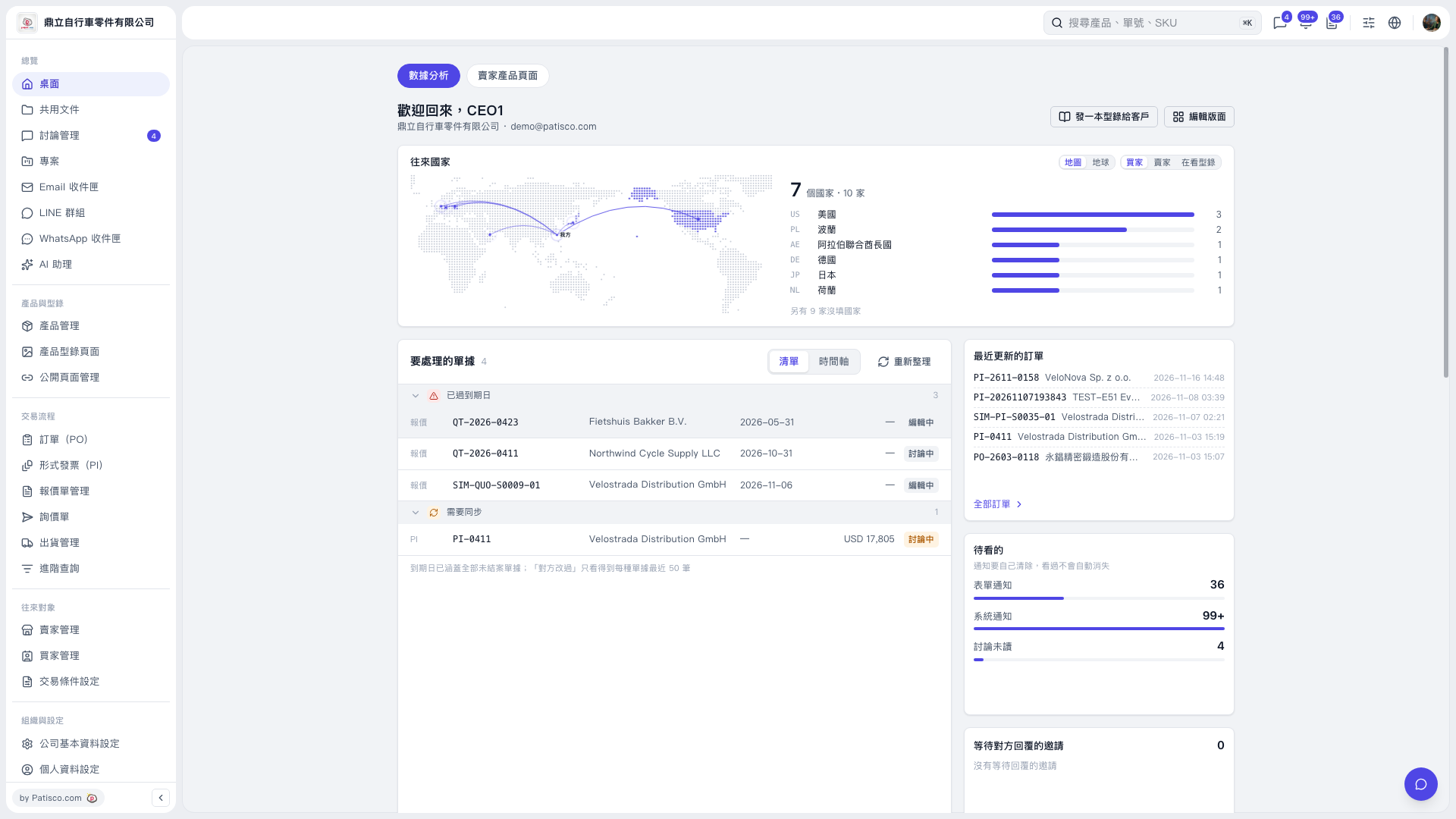 V5 新桌面版|桌面(數據分析)