
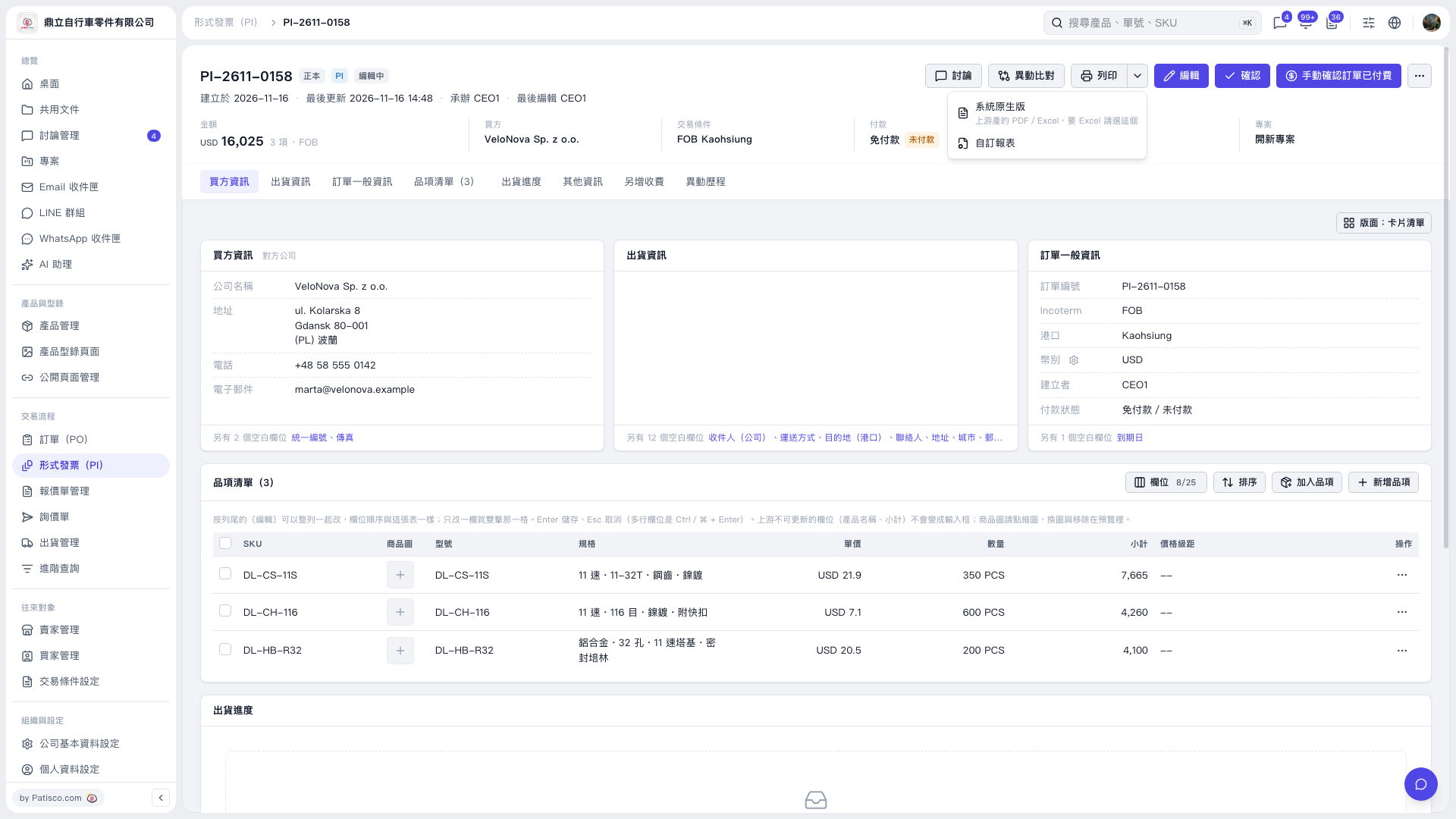
1. Open the Proforma Invoice you want to print, then check the invoice number, buyer information, trading conditions, and item amounts. 2. Click the drop-down arrow next to “Print” in the upper-right corner. 3. Select “System Native Version” or “Custom Report”. 4. Complete the print settings and print on the next screen.
 V5 新桌面版|形式發票 PI–2611–0158