
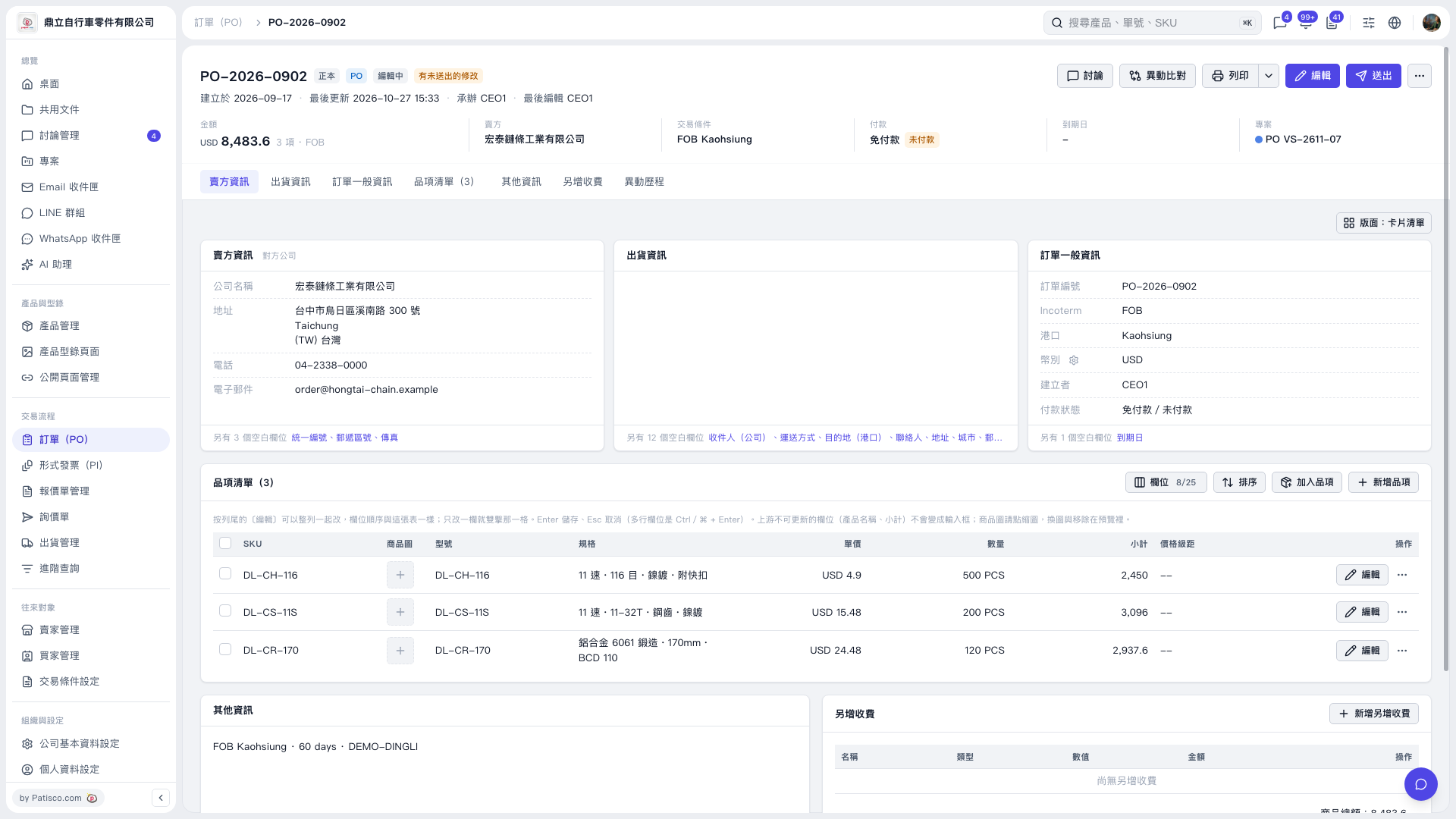
1. Open the PO details and first check the PO number, seller, amount, and trading conditions at the top. 2. Click "Seller Information," "Shipping Information," "General Order Information," or "Other Information" to view the corresponding details. 3. To edit the basic PO details, click [Edit] in the upper-right corner. 4. After confirming the PO contents, click [Send] in the upper-right corner. To print the PO, click [Print].
 V5 新桌面版|PO–2026–0902