
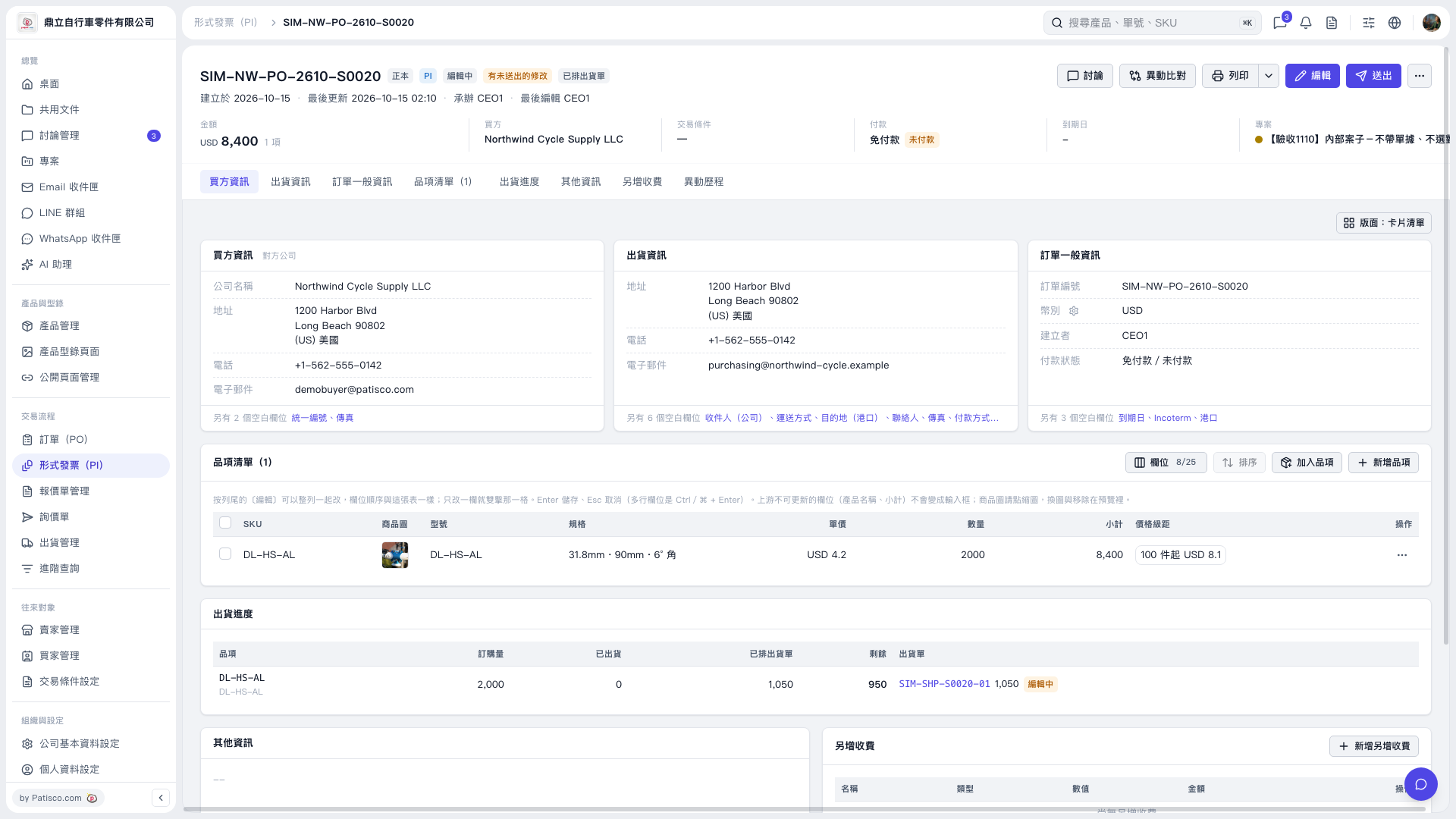
1. Open the Proforma Invoice and check the document number, buyer, amount, and payment status. 2. To change the document contents, click "Edit" in the upper-right corner. 3. In the "Item list", check the products, specifications, unit prices, and quantities. To add products, click "Add items" or "Create item". 4. Review the contents, then click "Submit" in the upper-right corner.
 V5 新桌面版|SIM–NW–PO–2610–S0020